



NSTORM II AI Dance: Should You Upload a Portrait or a Full-Body Photo?
STORM II AI Dance: Should You Upload a Portrait or a Full-Body Photo?
Your camera roll probably has both: a close photo where your face looks right and a full-length one where your outfit looks right. For a STORM II AI Dance clip, that is an annoying choice. One leaves almost nothing below your shoulders; the other may reduce your face to a thumbnail. Look at what each gives the moving scene.
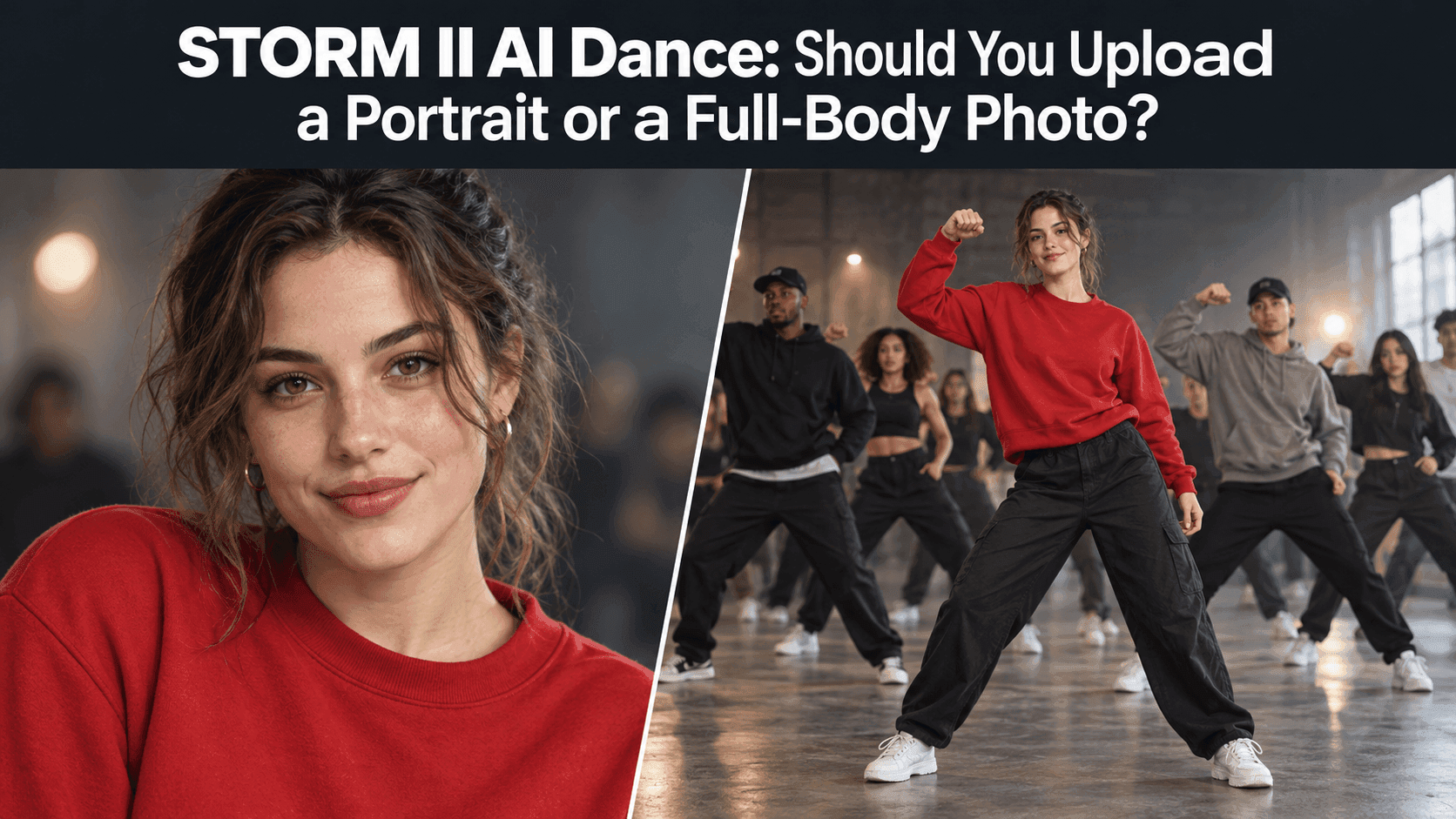
Picture a friend in a red sweatshirt at the front of the crowd. Up close, you want to recognize their face. As the frame widens, you still want the sweatshirt and roughly the same person underneath it. A photo that handles only one moment may look strange in the next.
What STORM II AI Dance asks of one photo
A still image has to carry someone through movement and a change of scale. A flattering selfie may have lovely light on the face but cut off the neck and clothes. When more of the body appears, those parts have to come from somewhere other than the photo.
That does not make a portrait useless. If the joke depends on a familiar expression, a close photo can beat a distant full-body shot. There is no prize for showing your shoes if nobody recognizes the face above them.
But a face is not the whole person. Friends recognize a haircut, a jacket, posture. A headshot leaves those open to interpretation. A different outfit may still be funny; it just may not feel like your clip.
When the full-length shot lets you down
Full-body photos show clothes and proportions. Yet the ones we keep are often taken across a room at a wedding. The subject is small, the background busy, the face little more than patches of light and dark.
View it at phone-screen size, without zooming. Can you see the eyes and mouth? Is the person separate from the background? If not, trousers and shoes may not be worth losing the face.
A mirror photo might show the outfit beautifully while the phone covers half the face. Crossed arms can hide the torso. “Full body” describes framing, not how much useful information is visible.
The photo I would take instead
If neither picture is convincing, it is usually quicker to take another one than to keep arguing with the camera roll. Stand a few steps from a plain wall. Ask someone to photograph you from around chest height, with your head and most of your legs in frame. Leave a little space around your arms. Face the light instead of putting a bright window behind you.
Do not turn it into a fashion shoot. Wear the clothes you want to keep in the video, brush your hair the way you usually wear it, and let your face look like your face. A head-to-knee picture is often a useful middle ground: enough body to establish the outfit, enough face to survive a small screen. It is a starting point, not a rule about what the template requires.
Before uploading, shrink the photo on your phone. If you have to pinch outward to recognize yourself, move closer and retake it. If the hem, sleeves, or arms disappear into the background, change the light or the background. Those small checks take less time than sorting through several clips that never quite look like you.
Keep the original photo beside the finished video when you review it. Memory is generous: a familiar color or smile can make a changed face seem accurate until you put the two images together.
For STORM II AI Dance, the best source may therefore be neither the closest portrait nor the widest full-length shot. It may be the slightly ordinary picture you took in the hallway five minutes ago.
If you want to compare two photos
Keep the comparison fair. A portrait from last month and a full-body photo from five years ago will test a change of hairstyle and age as much as a change of framing. Try to use photos taken near the same time, with similar light and the same current haircut. Then the difference in the finished clips is easier to read.
If your available options allow two attempts, watch the same moments in both. Look once when the face is largest, once when the person stands against the crowd, and once during the move between those views. Do not pick a winner from the cover frame. A portrait can start strong and lose the clothes; a distant full-body photo can do the reverse.
Play the clips at normal speed. Freeze a frame only when something catches your eye. Pausing every second can make ordinary blur look like a serious flaw, while a changing jacket or face may be easier to notice in motion. Ask a friend which clip looks more like you without telling them which source photo you preferred.
You can start at Reveedo's STORM II video template. Follow the options shown on the page when you use it; do not assume an extra reference slot or a specific adjustment exists because another tutorial mentions one.
Choose the photo, not the category
I would use a clear, closer full-body or head-to-knee photo first. If the only full-length picture makes your face unrecognizable, I would choose the sharp portrait instead. And if both have obvious gaps, I would take a new picture. The word “portrait” is not a flaw; neither is “full-body” a guarantee.
If you are making the clip with somebody else's image, get their permission before uploading or posting it. The joke lands better when the person in it is in on it. Before publishing, check the platform's music and generated-content rules as they stand then.
There is a simple final test for STORM II AI Dance: when the shot opens up, would a friend still say, “That's you”? Pick the picture that earns that answer, even if it is not the prettiest one in your camera roll.