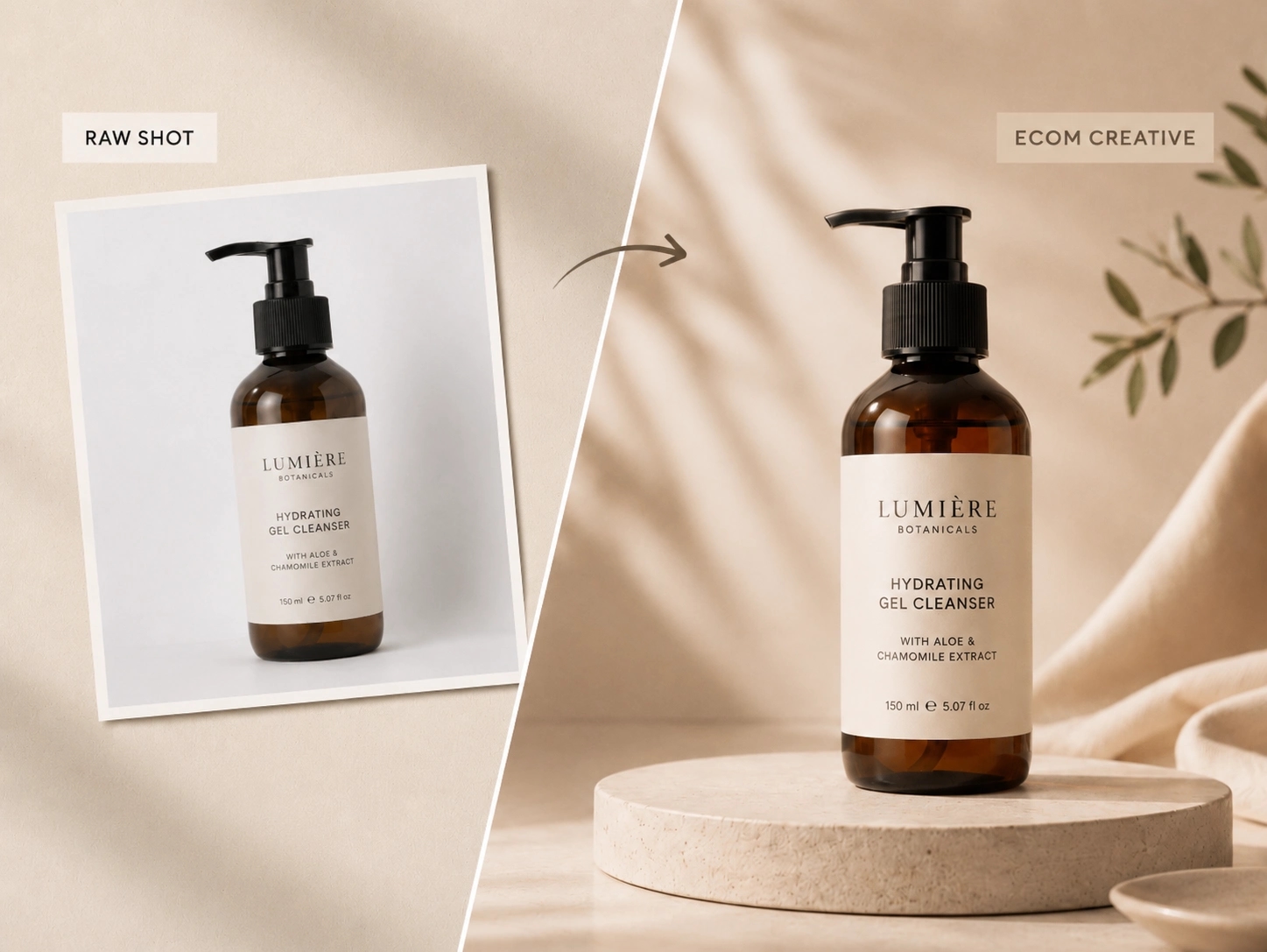
Precise local image editing
Describe the target region and the exact change you want while keeping the rest of the image stable.
Use Seedream 5.0 Pro for precise image-to-image editing, multi-reference generation, layer-friendly creative workflows, and polished AI image variations.
Upload a source image, describe what should change, preserve the details that matter, and generate controlled edits for product photos, ads, social visuals, and design exploration.
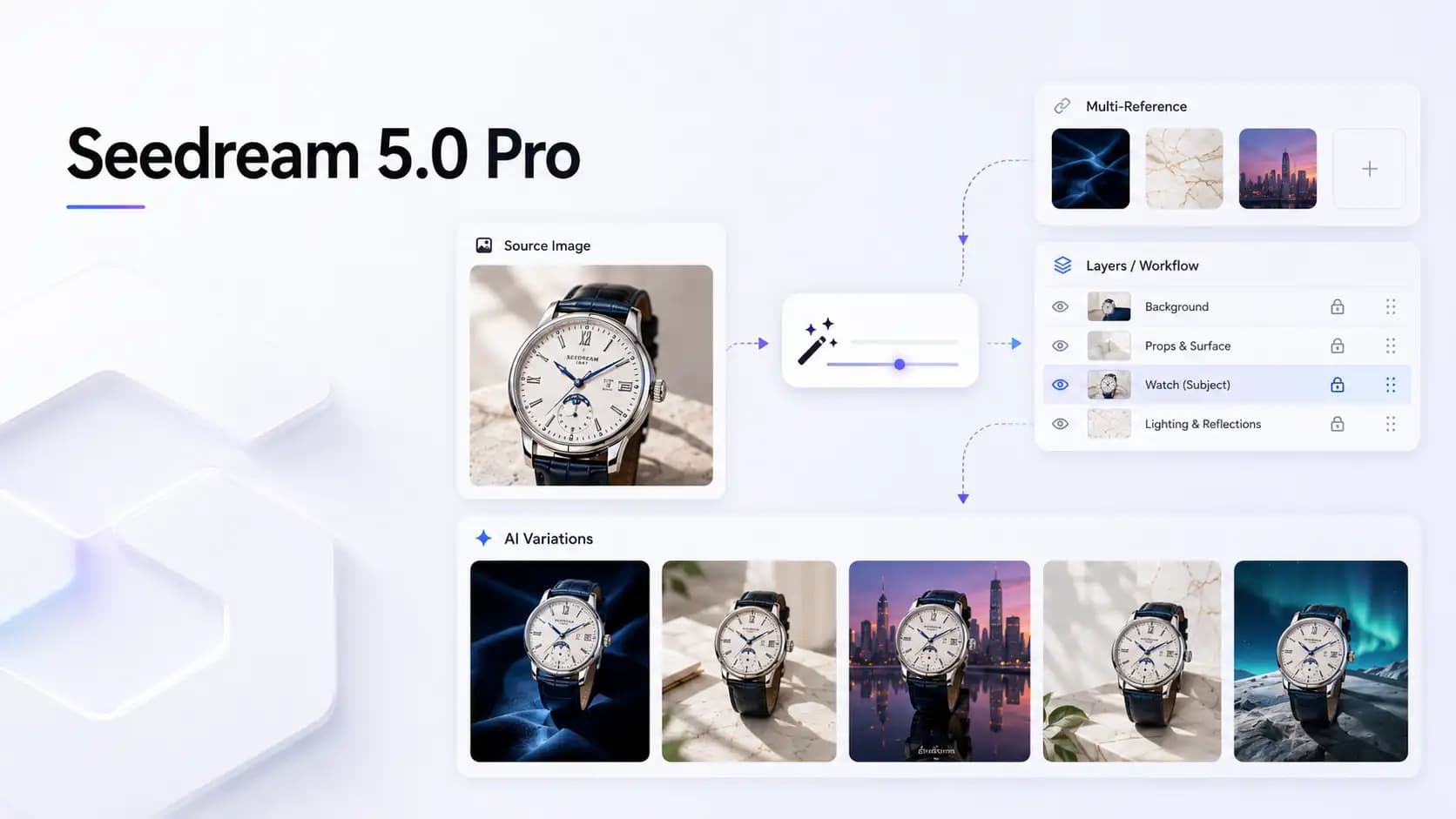
Workflow
Image to image
Control
Local edits
Use case
Production visuals
Seedream 5.0 Pro is built for controllable visual work: targeted edits, reference-guided composition, reusable creative assets, and clearer text-aware image layouts.
Describe the target region and the exact change you want while keeping the rest of the image stable.
Guide subject identity, material, style, lighting, and composition with multiple visual references.
Plan campaign assets around reusable backgrounds, products, characters, and visual elements.
Create posters, packaging, labels, charts, and infographic-style visuals where readable text matters.
Change backgrounds, materials, colors, surfaces, and ad context while preserving recognizable product details.
Explore visual directions without losing the core subject, pose, layout, or brand signal from the source image.
Strong Seedream 5.0 Pro results start with a clear source image and a prompt that separates what should change from what should stay consistent.
Start with the product photo, portrait, campaign image, or design asset you want Seedream 5.0 Pro to transform.
Name the region, background, object, color, lighting, material, or style that should change.
Mention product shape, logo area, face, pose, camera angle, layout, or texture that should stay consistent.
Compare variations, choose the strongest direction, and tighten the prompt for cleaner production-ready output.
Create practical image variations for ecommerce, ads, social content, brand production, and fast visual exploration.
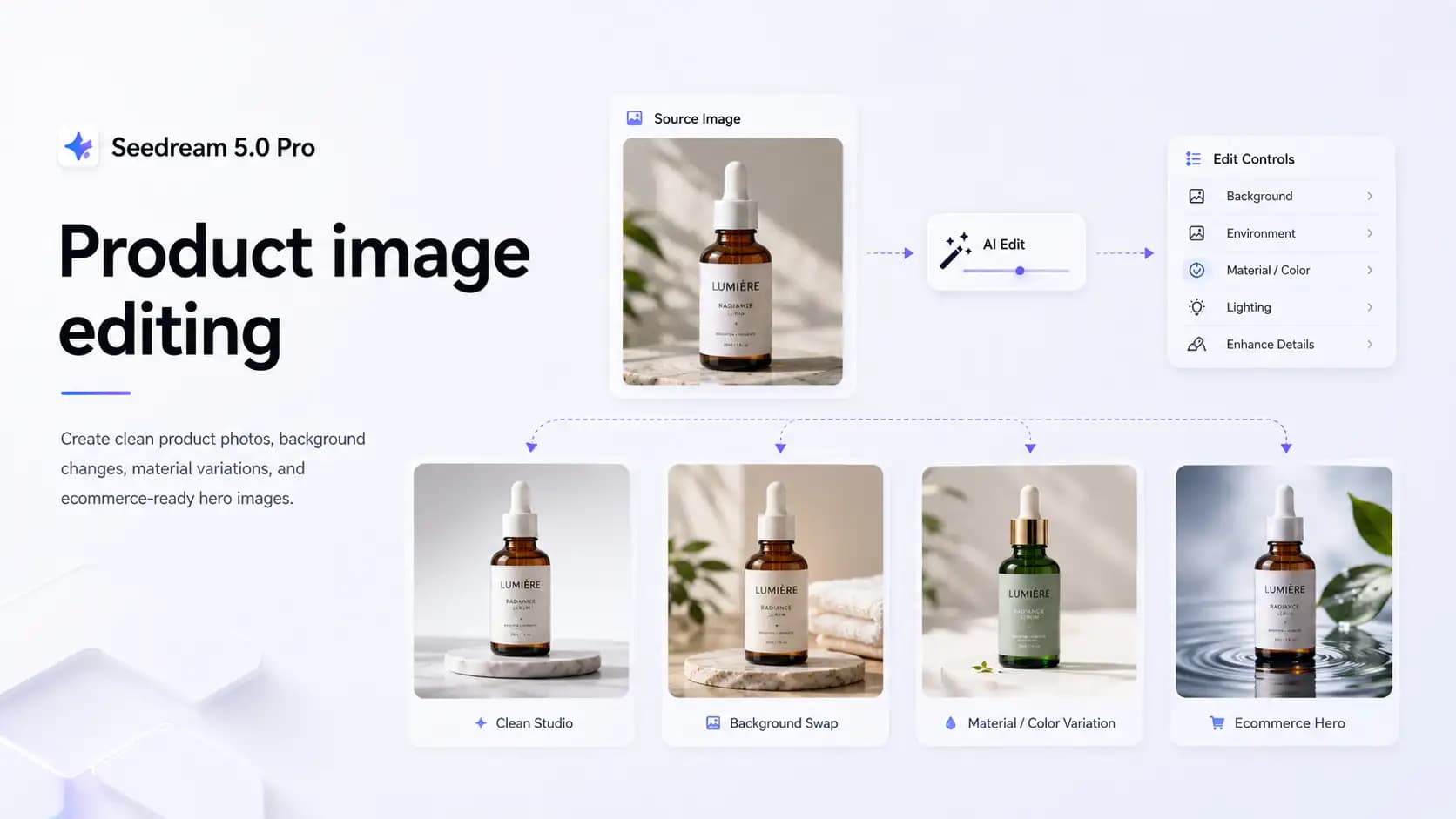
Create clean product photos, background changes, material variations, and ecommerce-ready hero images.
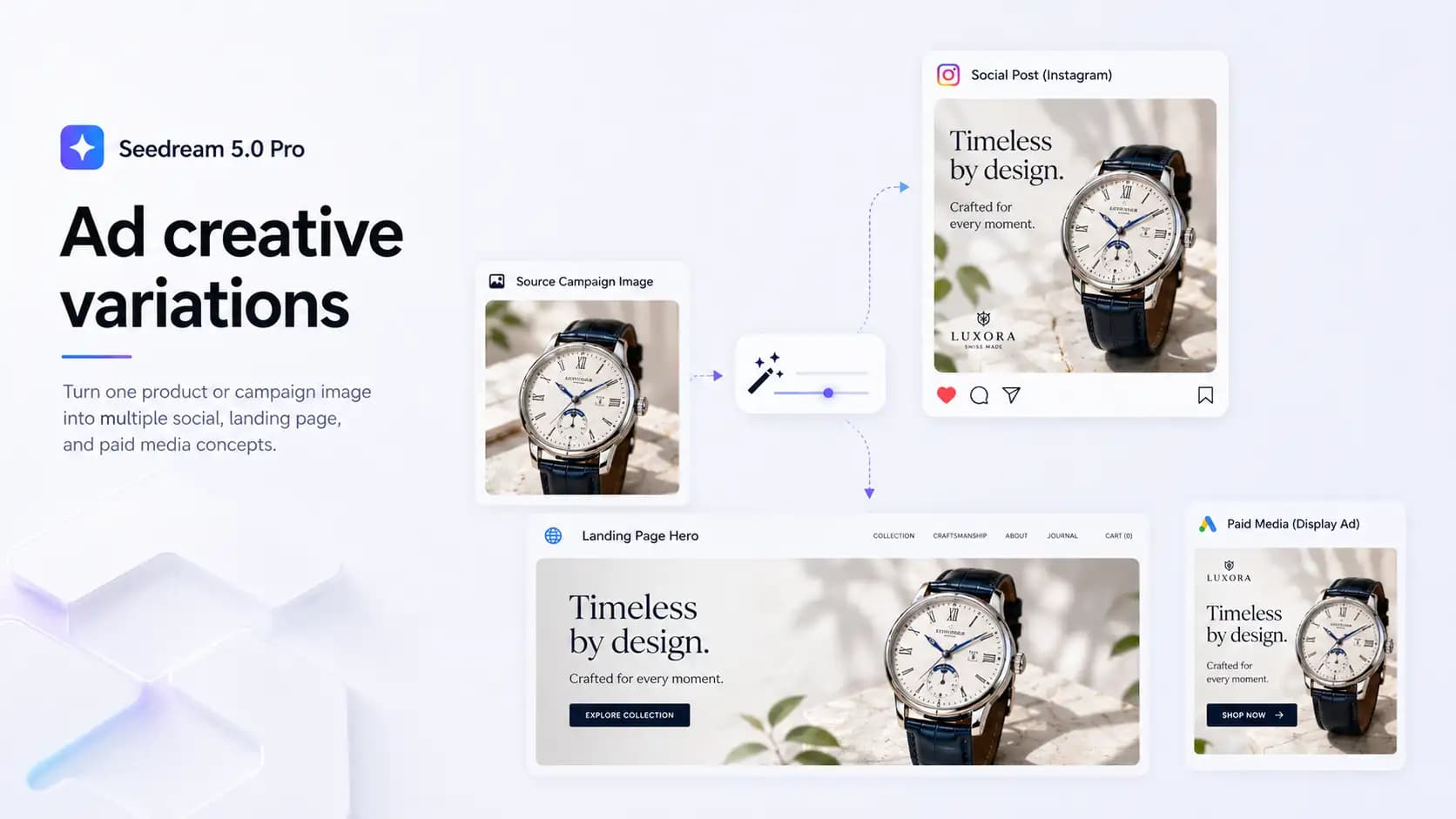
Turn one product or campaign image into multiple social, landing page, and paid media concepts.
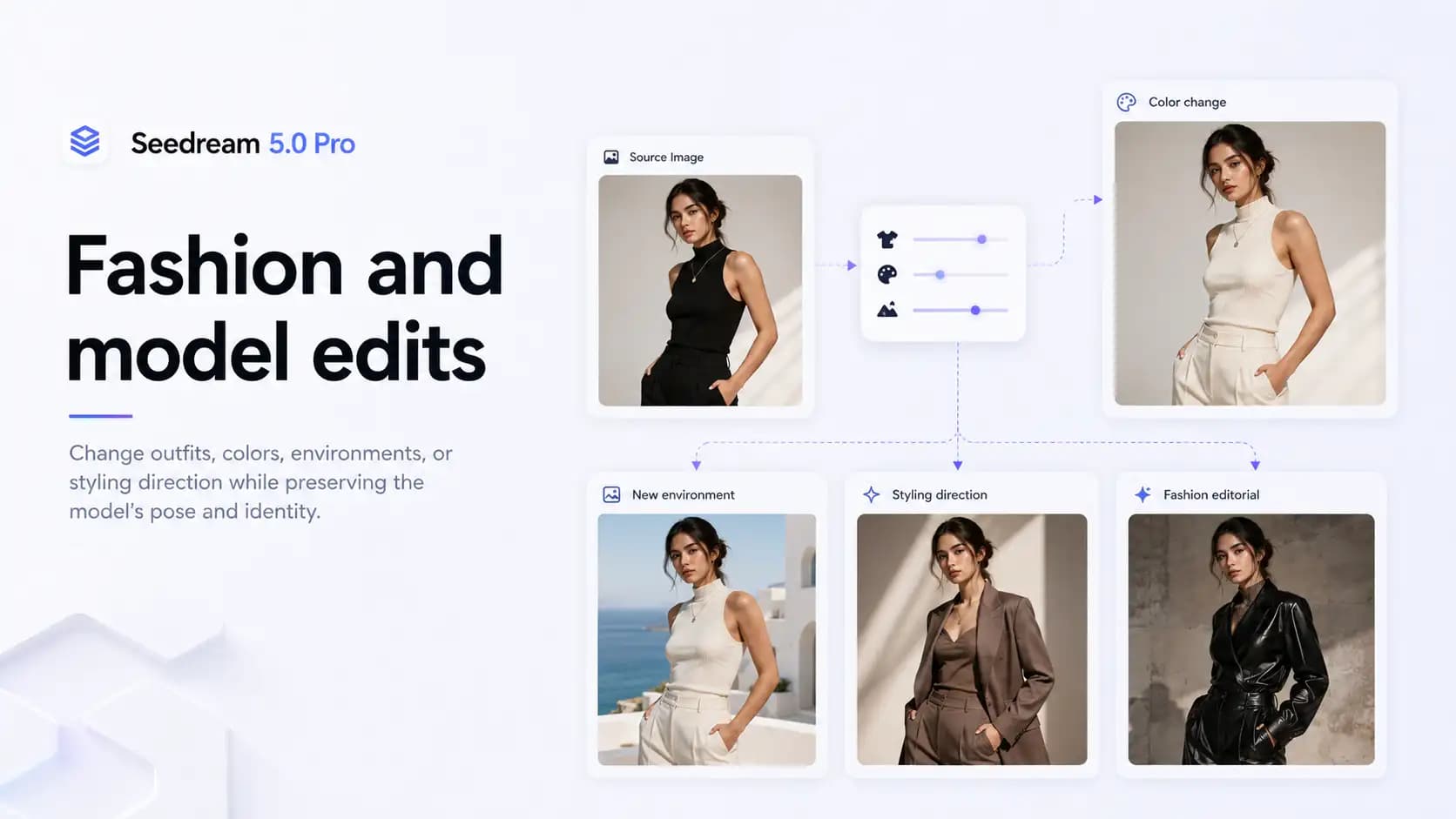
Change outfits, colors, environments, or styling direction while preserving the model's pose and identity.
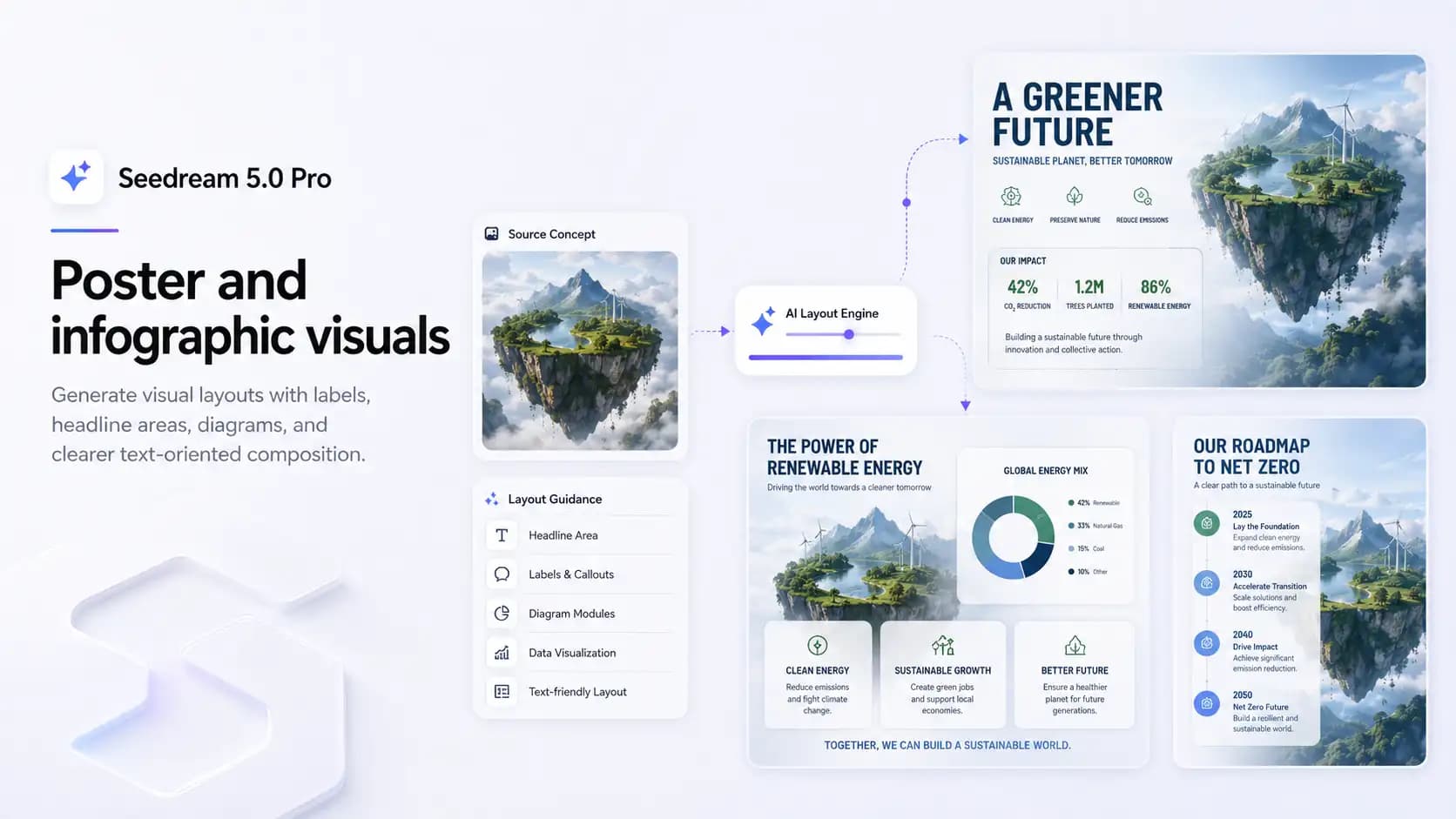
Generate visual layouts with labels, headline areas, diagrams, and clearer text-oriented composition.
Use Seedream 5.0 Pro when a project needs more than a one-shot image: source-image control, reference guidance, text-aware layouts, and reusable visual variations.
Start from an uploaded image and generate controlled variations from a clear editing prompt.
Use reference images to carry product shape, character identity, material, color, or visual style into the result.
Choose the output size and aspect ratio that fits the target channel, from product pages to social creatives.
Create assets that are easier to reuse across backgrounds, layouts, product scenes, and campaign variants.
Use prompts that name the source image, the target change, and the protected details that should remain recognizable.
Replace the background with a clean studio setup. Keep the product shape, logo, shadows, and camera perspective unchanged.
Change the jacket color to matte black. Preserve the model's face, pose, fabric texture, lighting, and background composition.
Turn this product photo into a premium social media ad with clear headline space, realistic reflections, and polished commercial lighting.
Answers to common questions about Seedream 5.0 Pro image-to-image editing, references, text rendering, resolution, and product image workflows.
Seedream 5.0 Pro is an AI image model for controllable image generation and image-to-image editing workflows.
Yes. It is a strong fit for workflows where users upload a source image, describe targeted changes, and preserve important visual details.
Yes. You can describe the specific area or object you want to change while asking the model to preserve the rest of the image.
Seedream 5.0 Pro supports reference-guided workflows, so you can use visual references to steer identity, style, material, and composition.
Yes. It is useful for posters, labels, packaging concepts, chart-like images, and infographic-style layouts. Review final text before publishing commercial assets.
Yes. It is suitable for product image editing, background replacement, ad variations, material changes, and ecommerce visuals.
Open the generator, upload a source image, and test controlled image-to-image prompts with Seedream 5.0 Pro.