



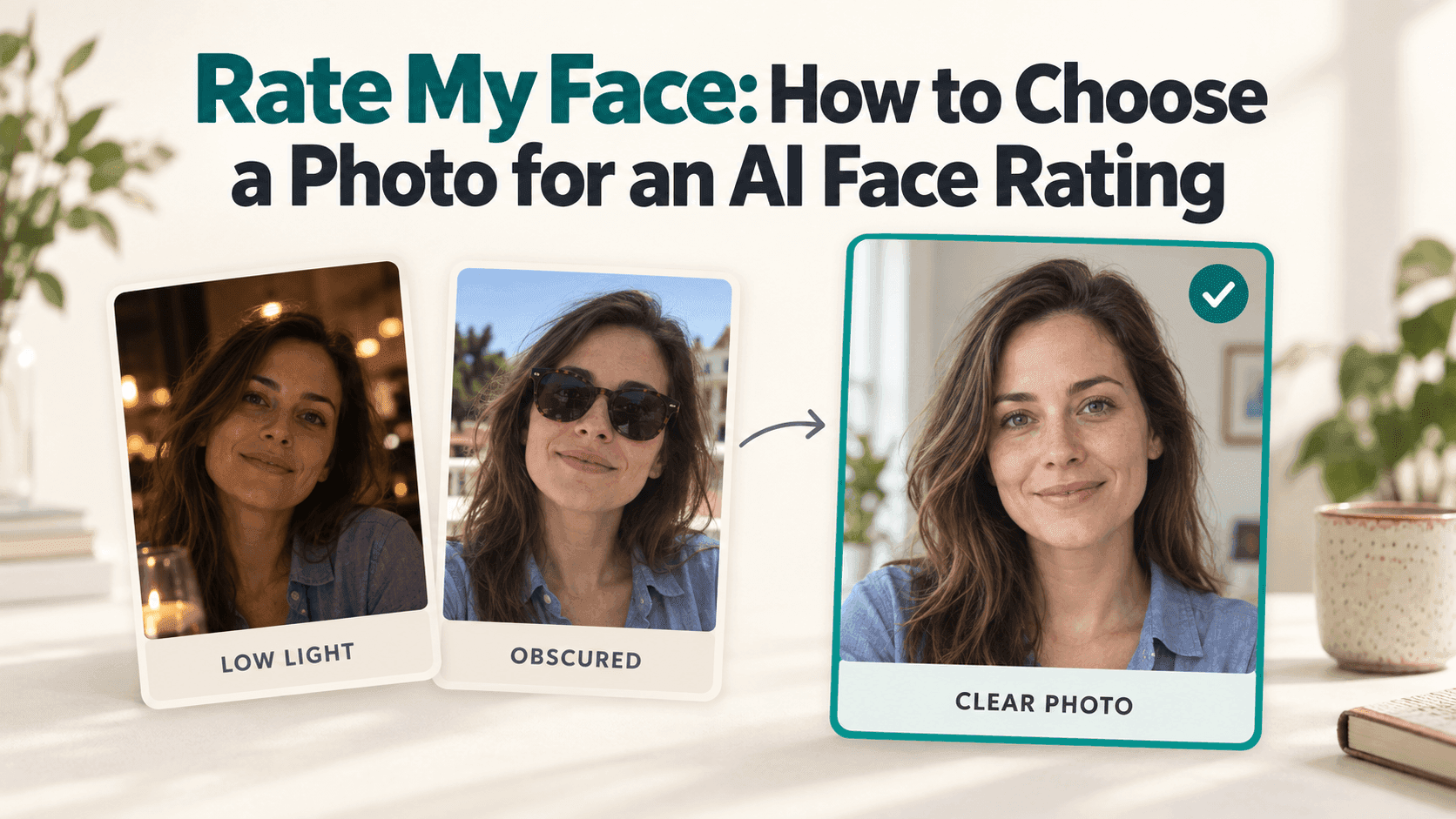
Rate My Face: Choose a Photo for an AI Face Rating
Rate My Face: How to Choose a Photo for an AI Face Rating
You open your camera roll and find three possible photos: a selfie from dinner, a picture a friend took outdoors, and a polished portrait with a beauty filter.
Which one should you upload to Rate My Face?
Start with the photograph that shows your face most clearly. That may not be your favorite picture, and it does not have to be the most flattering one. You want to know what the tool is looking at without having to account for a tilted camera, heavy editing, or a shadow covering one side of your face.
A face score is still a response to an image, not a final answer about your appearance. Choosing a straightforward photo simply makes the result easier to put in context.
What to Look for in a Rate My Face Photo
Open the picture at a normal viewing size. Can you see your whole face comfortably, or do you have to zoom in? Are your eyes visible? Is your chin inside the frame?
A recent photo of you alone is a practical starting point. Leave a little room around your head rather than cropping tightly against your forehead and jaw. If the only suitable image is a group photo, check whether a crop gives you enough detail. Enlarging a tiny face will not bring back information that was missing.
You do not need studio lighting or a professional camera for a Rate My Face upload. An ordinary phone photo can be adequate for a casual test.
Before taking another picture, check the service’s upload instructions. They may specify a supported file type, image size, or preferred view. Those requirements are more useful than generic advice about getting the “perfect” selfie.
Choose Clear Light, Even If It Is Less Dramatic
Restaurant lighting can make a photo feel warm and memorable. It can also leave the eyes in shadow or cast a strong color across the skin.
That does not make it a bad photograph. It just makes it a less straightforward reference for Rate My Face.
If you are taking a new photo, try standing near a window with soft daylight falling on your face. Look at the screen before shooting. A bright window behind you may leave your face dark, while direct sunlight can make you squint.
There is no need to make the lighting perfectly even. The useful question is whether important details are visible.
Keep the dinner photo if you love it. Choosing another image for a face-rating tool does not change what that picture means to you.
Keep Your Rate My Face Camera Angle Simple
It is easy to turn this into a search for the best angle. Try not to.
For a first attempt, hold the camera around eye level and keep a comfortable distance. Avoid placing it very close to your face or using an exaggerated upward or downward view. If you cannot hold it comfortably, prop the phone up and use a timer.
A relaxed expression is enough. You do not have to look stern or flatten your smile. Follow any expression guidance the service provides; otherwise, choose something that feels ordinary.
If you later compare Rate My Face results, similar angles and expressions will make that comparison less confusing. A laughing outdoor portrait and a close, carefully posed selfie show different things. Their scores should not be treated as precise measurements of the same fixed quality.
Use the Original Before the Beauty Edit
Check whether your camera or editing app has already changed the image.
Some filters alter face shape. Others smooth the skin, enlarge the eyes, or adjust several details subtly enough that you stop noticing them. If your question is about an everyday photo of yourself, use the version before those changes.
This is not a rule against makeup or enjoying edited photos. It is about knowing what you submitted. A Rate My Face score based on a reshaped face tells you about that edited image.
The same practical approach applies to obstructions. Move hair away from an eye if it covers it. Choose a photo without a hand over your mouth. If you wear glasses, look for reflections hiding your eyes rather than assuming you must remove them.
Once the face is clear, you can stop preparing. There is no need to retouch individual features before your Rate My Face upload.
You Do Not Need to Keep Trying Until the Number Improves
Choose one picture and keep it as your reference. If you try a second, have a reason: perhaps the first was blurry, backlit, or cropped too tightly.
A different Rate My Face result does not mean your appearance changed between uploads. The input changed, and the service may have its own variability or limitations. Without knowing how the system works, small differences are difficult to interpret.
If you notice yourself searching for the photo that finally produces a reassuring number, take a break. Repeating the test is unlikely to settle a question as personal and subjective as how you look.
You can explore the face-score feature through Reveedo. Before uploading, read the current instructions and privacy information, including what happens to submitted images. Use your own photo, or obtain permission from the person pictured, and remove private details from the background.
A clear photo is enough to try Rate My Face. It does not need to become your new profile picture, and the result does not need to decide which photos you keep.