



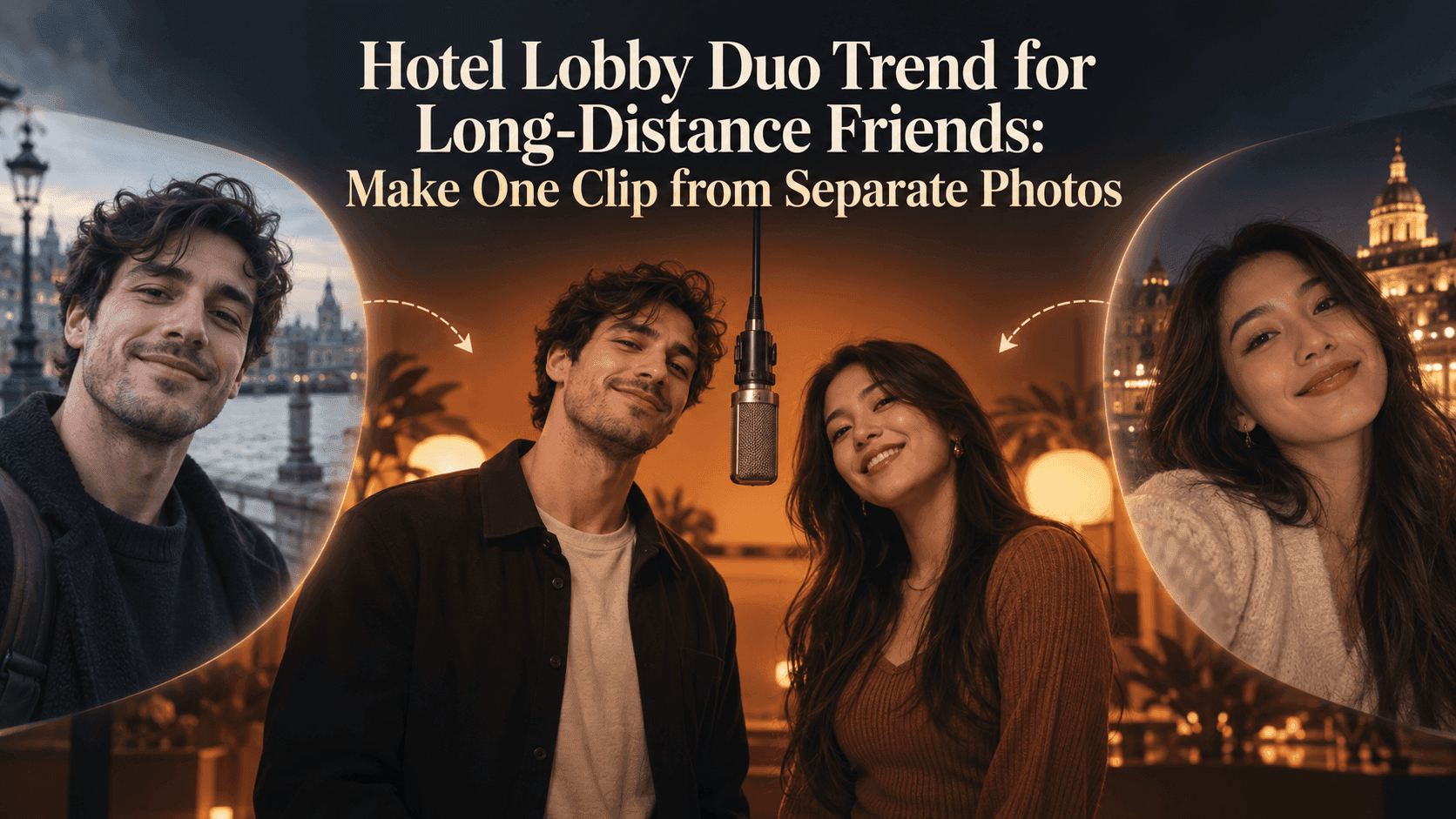
Hotel Lobby Duo Trend for Long-Distance Friends: Make One Clip from Separate Photos
Hotel Lobby Duo Trend for Long-Distance Friends: Make One Clip from Separate Photos
When a close friend lives three time zones away, your camera rolls rarely match: one of you is at a wedding, the other is at work; one has a decent portrait, the other has a blurry screenshot from a call. The Hotel Lobby Duo Trend offers a funny way to put you in one frame without pretending you actually met up. But the two-photo trick only works if the pictures make sense together. A sharp portrait beside a dark, low-angle selfie can turn a reunion joke into a clip where neither person looks quite right.
The familiar setup is simple: two performers, an orange studio background, and a microphone suspended between them. It comes from Quavo and Takeoff’s HOTEL LOBBY performance on A COLORS SHOW, not from a hotel reception area. Recent AI versions recast the pair with friends, siblings, couples, or pets. For long-distance friends, the appeal is more specific. You finally get a video together even though your last shared photo may be years old.
Why the Hotel Lobby Duo Trend works for friends in different places
Most short-video trends ask you to record something at the same time. This one starts with separate still images. That makes it useful when you live in different cities, work opposite schedules, or simply never remember to take photos during a visit. The joke lands because the two of you suddenly share a stage you could not have booked together.
That does not mean you should grab the first pictures in your message history. Think of the clip as a tiny casting decision. If your friend would laugh at seeing you both perform, the pairing is already there. If the image feels like two strangers randomly pulled from a contact list, spend another five minutes choosing the photos. The source pictures do much more work than a clever caption can fix later.
Ask your friend for a photo, not just permission to tag them
Send a message before uploading anything. “Can I use this picture of you for an AI duet video?” is better than “You won’t mind if I post it, right?” The first question gives them a real choice. If they say yes, ask whether they want to see the finished clip before it goes public. A friend may be happy to make the video but not want it posted to a large account.
Ask for an original photo rather than a compressed image saved from a chat. A clear head-and-shoulders shot is usually easier to work with than a full-body photo taken from across a street. Sunglasses, heavy filters, hair covering the face, or a hand in front of the mouth can make the moving version less recognizable. If one person is sharply lit and the other is mostly in shadow, look for a closer match before generating.
You do not need matching outfits. You do want comparable camera angles. Two near-front-facing photos tend to read more like a duo than one front-facing portrait and one steep overhead selfie. Similar framing also helps: if one face fills the entire image and the other is a small dot in a group photo, crop or replace the weaker photo. Keep enough shoulders in frame so the result has a believable body to animate.
Make the Hotel Lobby Duo Trend clip on Reveedo
Open Reveedo’s Hotel Lobby video template and check the upload fields shown on the page. Use one photo of each friend; if the template shows separate positions, take a moment to decide who goes where. A familiar pairing can change its rhythm when you reverse the two people, especially if one friend is usually the loud one and the other is the deadpan reply.
Keep your first attempt uncomplicated. Upload the two chosen photos, use the available settings as shown, and generate a draft. There is no need to ask for a new location, wardrobe, camera move, and extra guest in the same pass. The recognizable orange room and shared microphone already tell viewers which trend they are watching. Your job is to make sure the two faces remain your faces.
Watch the entire clip before sending it. Pause at the first frame, the moment the performers turn or gesture, and the last frame. Do both faces stay recognizable? Does one person suddenly look older or acquire a different haircut? Are hands or arms fused together near the microphone? A split-second glitch may disappear in an enthusiastic first viewing, then become the only thing you notice after posting. If that happens, try a clearer input photo before changing everything else.
Give the video a reason to exist outside the trend
“We live 2,000 miles apart but somehow ended up on the same mic” tells friends more than “we did the trend.” Another caption might refer to the call you have postponed for three months, the trip you keep promising to book, or the voice notes that never end. The detail should be yours. Nobody else needs to understand every part of the joke; your friend does.
For a birthday, send the clip privately first with a line only the two of you would use. For a public post, ask your friend to approve the final version and caption. If the template or your editing workflow uses music, check the sound available on the platform where you publish rather than assuming an exported audio track can be reused everywhere. When you post a realistic AI-generated performance, use the platform’s AI-content disclosure tools and avoid presenting it as real footage.
There is also a gentler option: make the clip and never post it. Send it in your chat, let your friend roast your improbable dance moves, and leave it there. Not every good video needs an audience. Some are better as a small reminder that distance has not made you any less of a pair.
The Hotel Lobby Duo Trend is easiest to make when you stop treating it as a face-swap stunt. Choose two pictures that still look like the people you know, get an honest yes from the other person, and give the result a line that belongs to your friendship. The orange stage takes care of the rest.