



Animate a Photo: Add Water, Smoke, and Steam Naturally
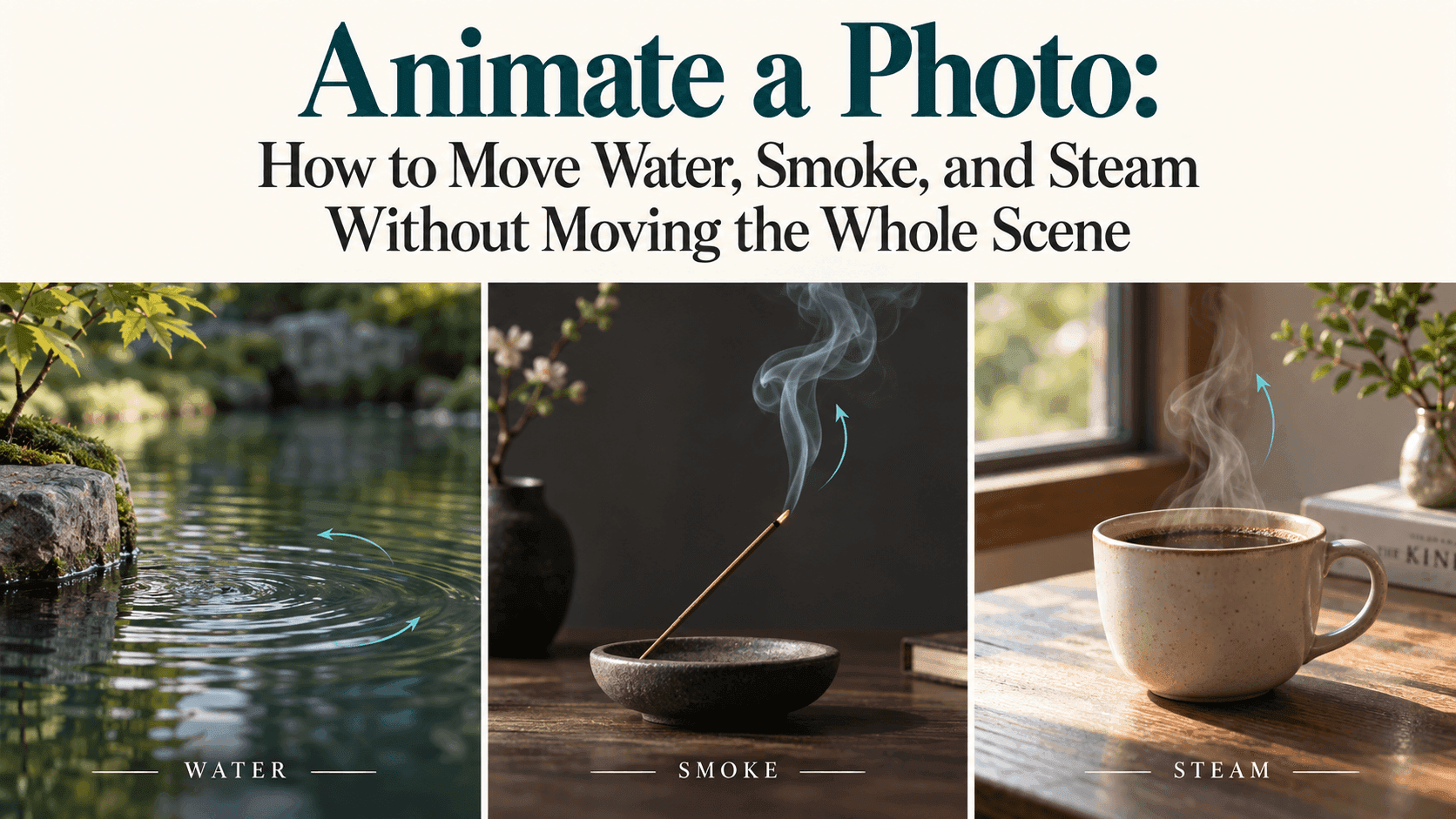
Animate a Photo: How to Move Water, Smoke, and Steam Without Moving the Whole Scene
The coffee is supposed to steam. The cup is not supposed to float.
That sounds obvious, but it describes a familiar problem with image-to-video generation. You ask for a small detail to move, and the result adds a slow zoom, shifts the table, or changes the shape of something you wanted to keep.
If you want to animate a photo without turning it into a completely different shot, start with a smaller request. Choose one moving element. Give it somewhere to go. Then check the objects around it.
A quiet scene doesn’t need much animation. A little movement above a cup or across a pond may be all the picture needs.
Before You Animate a Photo, Look Around the Moving Part
Take a coffee photograph as an example.
The steam belongs above the drink. The cup rim forms the lower boundary, and the space above it gives the steam room to rise. If the photograph is tightly cropped just above the cup, there isn’t much room for that movement before it reaches the edge.
The background matters, too. A pale wisp against a dark wall is easier to see than the same wisp against a bright window. That doesn’t make one photograph universally better, but it makes the effect easier to judge.
Look for anything that overlaps the moving area. Steam passing in front of a face, a hand, or small lettering makes the job more complicated. For a first attempt, a cup sitting alone on a table gives you fewer things to worry about.
You’re not looking for the most dramatic photograph. You’re looking for one where a small movement has a clear place to happen.
Steam: Keep It Thin and Close to the Drink
“Add lots of steam” may sound like a good way to make coffee look hot. It can also produce a cloud that hides the cup.
Start with less:
Thin wisps of steam rise gently from the coffee, curl slightly above the rim, and fade into the air. The cup, saucer, table, and background remain still. The camera holds its position, with steady daylight throughout.
This is a sample prompt to adapt, not a guarantee of the result.
On playback, watch the bottom of the steam before watching the top. Does it begin at the surface of the drink? Or does it appear from the handle, the outside of the cup, or an unrelated patch of the table?
Next, check whether it disperses. For a quiet indoor coffee scene, a thin wisp that gradually disappears is a more suitable request than an expanding mass of fog.
If the steam is too dense, change that part of the prompt:
Use a thinner, more transparent wisp of steam that fades a short distance above the cup.
Keep the rest of the instructions the same. If you also change the lighting, the camera, and the background, you won’t know which edit helped.
And don’t overlook the cup. A convincing wisp is not much use if the handle changes shape halfway through.
Water: Describe the Kind of Movement You Mean
A lake doesn’t move like a river. A fountain doesn’t move like either of them.
Before you animate a photo of water, decide what belongs in that particular scene. If the source shows a calm pond, begin with small ripples rather than crashing waves.
For a pond or quiet lake, try:
Gentle ripples move across the water surface. Reflections shift softly with the ripples. The bank, rocks, trees, and distant buildings remain in place. The camera stays fixed.
The reflections are deliberately allowed to move. Water rippling beneath a perfectly frozen reflection can look just as strange as a moving shoreline.
For a stream, add a direction based on the visible channel:
Water flows gently along the existing stream toward the lower right of the frame. The rocks and riverbanks remain fixed.
Don’t use that direction automatically. Check the photograph first. If the stream runs another way, describe that instead.
A fountain needs a different request again: the existing jet continues to flow, water falls into the basin, and small ripples spread where it lands. The basin itself stays the same shape.
After generating, ignore the water for a moment and look at the edges. Are the rocks still where they were? Does the bank hold its outline? If a building appears in the background, check the building itself, not just its reflection.
That’s where a pleasing water effect can hide a less usable result.
Smoke: Name the Source, Then the Direction
“Smoke drifting through the scene” is a broad instruction. If all you want is a narrow trail from an incense stick, say so.
A fine trail of smoke rises from the incense tip, bends slightly to the left, and gradually disperses. The incense stick, holder, and nearby objects stay still. Lighting and framing remain unchanged.
The useful details are the source, the direction, and the amount of smoke. Words such as “mysterious” or “cinematic” don’t replace those instructions.
Avoid adding a strong breeze unless you want the rest of the scene to suggest wind as well. Smoke moving sharply sideways beside a motionless curtain may not suit the quiet atmosphere you had in mind.
Also watch how much of the subject remains visible. If you’re showing an incense holder, the smoke should complement it rather than cover the design.
For a chimney photograph, a broader plume may fit. The point is to match the movement to the source instead of reusing one smoke prompt for every picture.
What If the Background Still Moves?
A prompt can ask for a stationary scene. It cannot guarantee that every untouched pixel will remain identical.
You may still get a slight camera push, a shifting edge, or a changing patch of light. Runway’s image-to-video guidance makes a similar distinction: instructions that reduce camera movement do not always produce a perfectly still shot.
First, check your own wording. “The camera slowly approaches the cup” conflicts with a request to keep the composition fixed. “A breeze moves through the room” invites more movement than a single wisp of steam.
Remove those extra directions and compare another version.
If exact preservation matters, prompting may not be enough. In a separate editor that supports layers and masks, you can keep the original photograph as the static background and reveal only the useful part of the generated video.
Water inside a clearly defined basin may offer a manageable boundary. Transparent smoke passing in front of several objects is more involved. Expect to check the mask edges and any overlap carefully.
That is a compositing workflow, not a hidden promise inside the words “keep everything else still.”
A First Test in Reveedo
Reveedo’s image-to-video page lets you upload a picture and describe the movement. Available settings depend on the model you select.
Choose one photograph and one effect for the first test. Steam above a cup is enough; you don’t need steam, moving curtains, changing sunlight, and an orbiting camera together.
Save the original output and the prompt. Watch the clip once at normal speed, then look more closely at the boundary between the moving and stationary areas.
If you need a looping banner, check the ending against the beginning separately. A natural-looking clip doesn’t automatically make a seamless loop.
Stop when the small detail works. The drink looks warm. The pond has a little life. The smoke rises without pulling the room along with it.
That’s a complete result. The photograph doesn’t need to do anything else.