



AI Product Video: Open a Bag Without Changing Its Shape
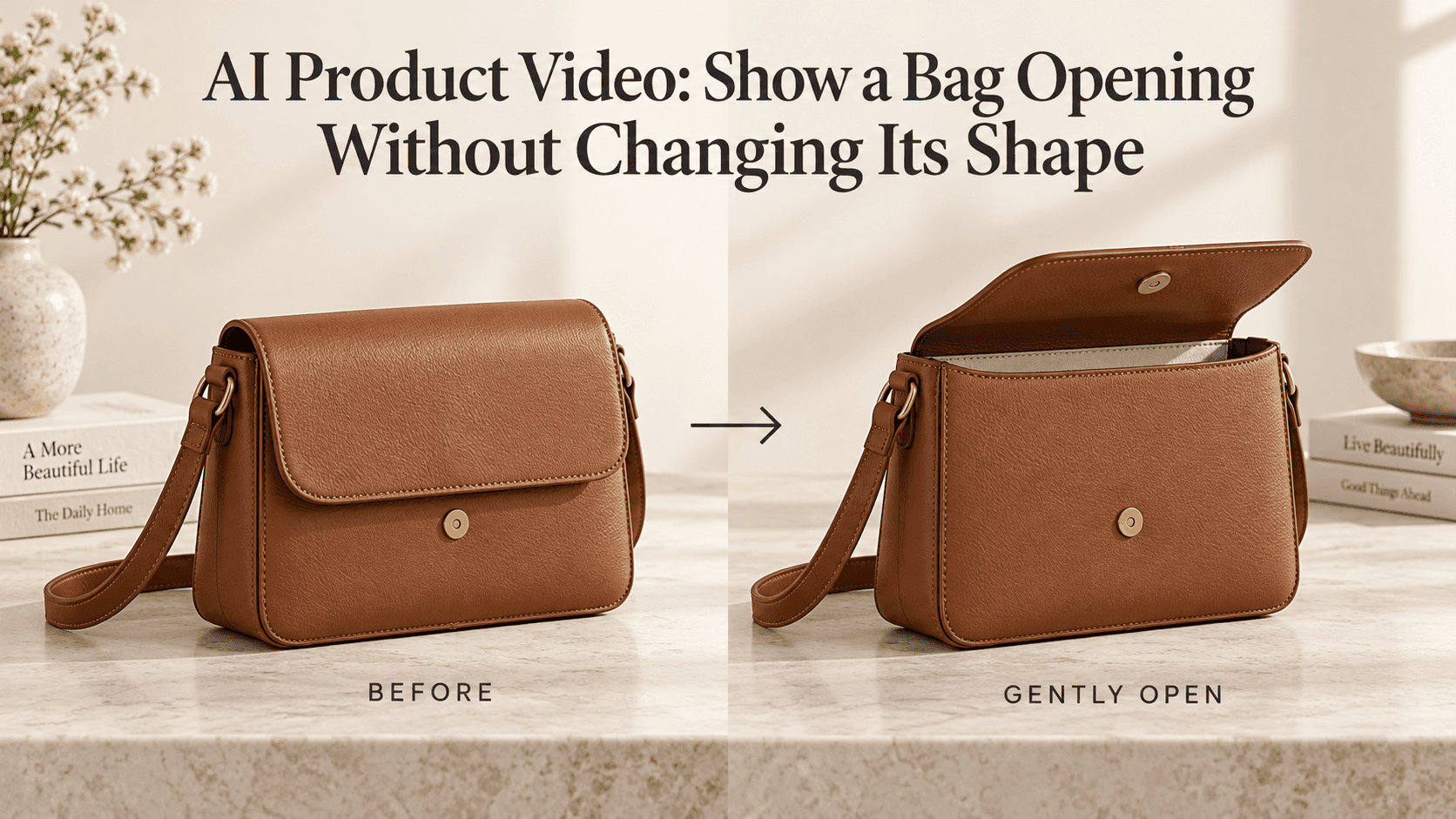
AI Product Video: Show a Bag Opening Without Changing Its Shape
A bag can look perfectly convincing until the flap starts to lift. Then the side panel stretches, the handle shifts, or the clasp quietly disappears. At full speed, you might miss it. Pause the clip and it becomes obvious: this is no longer quite the same product.
That is the part worth fixing before adding music or a sales caption. An AI Product Video should show the bag you actually sell, including the boring details: where the seams meet, where the handles attach, and how the closure works.
For a first attempt, give the AI Product Video less to do. Leave the bag on a table. Keep the camera still. Ask for a small opening, not an elaborate reveal of every compartment.
Before writing the prompt, look at the closure
Take the reference photo and follow the opening with your eyes. Can you see where the flap joins the back? Is the clasp visible? If there is a zip, can you find its pull?
These are useful questions for an AI Product Video because they tell you what the starting image actually explains. A beautiful photograph with a handle covering the fastening may leave the most important part of the action hidden.
Try a slightly angled view with space above the bag. You should be able to see its depth without losing sight of the front. Keep the base in frame; it gives you a convenient reference when checking whether the bag has become wider.
For this AI Product Video, choose clarity over styling. Remove the scarf draped over the opening. Save the busy background for a different shot.
There is also a practical difference between a closed bag and a fastened bag. If a clasp is visibly locked, the flap cannot simply lift through it. Start with an unfastened reference, or make releasing the clasp a separate shot.
An AI Product Video prompt for a small flap opening
Imagine a structured leather bag photographed on a plain table, with its clasp already released. The shot only needs to reveal a little lining.
Here is an AI Product Video prompt to start with:
Keep the camera at the reference angle. The unfastened flap lifts gently from its rear attachment, opening just enough to reveal a little lining. The bag remains on the table. Keep the body proportions, handle attachment points, seams, and clasp consistent. Finish with the flap partly open and let the movement settle.
Notice what is missing: no orbit, no floating bag, no hand entering from outside the frame. This AI Product Video is a stylized product reveal, not a realistic demonstration of someone opening it.
The small opening matters. If you ask to expose the whole interior from a closed photograph, the result may include pockets or dividers that do not exist.
When that detail matters to your AI Product Video, provide a genuine open-bag photo through a supported reference workflow. Otherwise, keep the reveal modest or use actual footage.
A reference showing the actual opening is particularly useful when the lining has a distinctive color or printed pattern.
“Keep its shape” does not mean “nothing bends”
A structured handbag and a soft tote should not open in exactly the same way. The tote may crease near the top. Its sides may move slightly as the opening spreads. That is different from the base swelling or the handle anchors sliding across the fabric.
For a soft-bag AI Product Video, replace the flap instruction with something more appropriate:
The already-unfastened opening spreads slightly. Allow gentle folds near the upper edge while keeping the base planted and the handle attachment points in place.
Watch whether those folds stay connected to the material. A crease appearing near the opening makes sense; a new seam growing across the front does not.
Your AI Product Video does not need perfectly rigid leather. It needs the right parts to remain recognizably the same.
A zipper is not a lid, and a hand is another job
For a zippered AI Product Video, describe the pull moving along the existing track, with a small opening appearing behind it. Do not ask the entire top to lift.
Start with a short movement. Check that the slider stays attached and that the opening follows its path. If the track keeps changing, use a clearer reference or begin with the zip partly open.
Adding a hand changes the AI Product Video again. Now fingers have to hold something, maintain contact, and move without merging into the handle.
If the hand is essential, photograph it already gripping the unfastened flap or zipper pull. Ask for that single movement. Reaching in, unlocking, opening, and lifting the bag can become separate shots.
An AI Product Video intended to explain a complicated fastening deserves particular caution. A plausible animation is not evidence that the real mechanism works that way.
Check the parts a customer would notice
Play the AI Product Video once without stopping. Then pause it around the middle, where the movement is happening, and compare it with the source.
For an AI Product Video, the handle anchors are worth checking closely. So are the bottom corners, the width of the side panel, and the shape of the hardware. A moving highlight is normal; a square clasp becoming round is not.
If something changes, shorten the movement or simplify the starting image before adding another paragraph of instructions.
You can begin an AI Product Video through Reveedo’s image-to-video page. Extra reference images and start/end guidance depend on the model selected.
Keep the closest version and change one thing for the next AI Product Video. Perhaps the flap needs to open less, or the handle needs to stop blocking the closure.
The best AI Product Video here may be the quietest one: the flap lifts, the bag stays itself, and the viewer gets a clear look before the cut.