



AI Hairstyles for Glasses Wearers: Compare Cuts and Frames
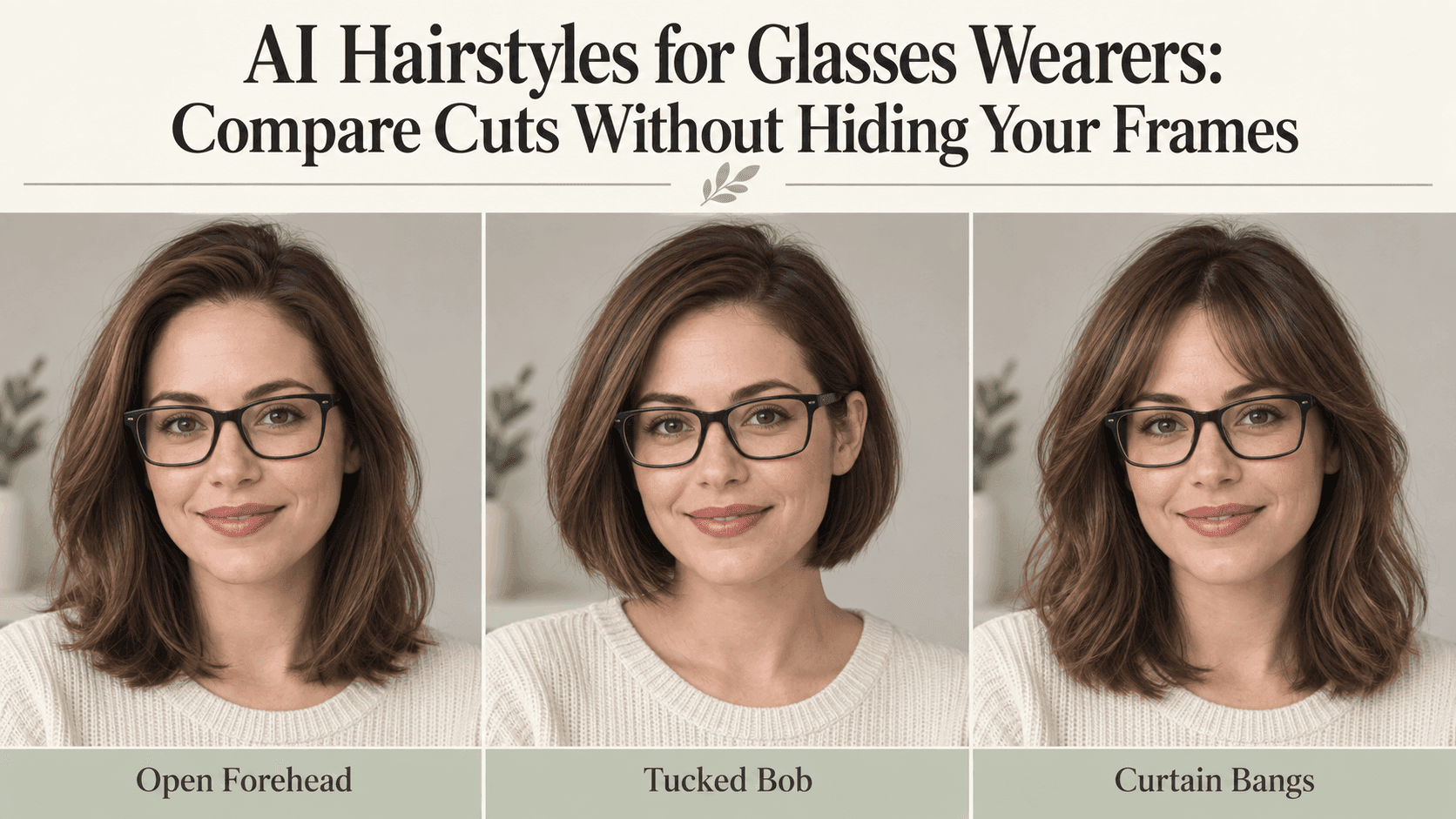
AI Hairstyles for Glasses Wearers: Compare Cuts Without Hiding Your Frames
The haircut looks good. The glasses are wrong.
Your usual thick black frames have turned into delicate wire ones, and suddenly the whole face looks different. It is easy to miss at first, especially when the hair has also become shinier and the lighting a little more flattering.
This is worth checking before you choose a favorite among AI Hairstyles. If you wear glasses most days, they belong in the haircut preview. Not a smaller pair, not a prettier pair, and not a pair partly erased by the new bangs.
Keep your everyday glasses on
Use a photo of yourself wearing the pair you normally reach for in the morning.
There is little point testing a haircut with glasses pushed onto your head if you will be wearing them on your nose all day. The space between your eyebrows, fringe, and frames is part of what you are trying to see.
Take the photo somewhere with even light. You should be able to make out both eyes and the outline of the frames. If a window reflection covers half a lens, move slightly and take another shot. You do not need a studio portrait, just a picture where the important details are visible.
For comparing AI Hairstyles, keep that photo as your starting point. Changing the selfie between versions also changes the angle, expression, and lighting, which can make one haircut seem better for reasons that have nothing to do with the cut.
AI Hairstyles work better as a comparison when the glasses stay the same
“Give me a short haircut with glasses” leaves room for the tool to choose new glasses.
Be more specific about what stays:
Change my hair to a bob ending just below the chin. Keep the glasses from the original photo exactly as they are, including the frame shape, color, thickness, and position. Keep my face, expression, hair color, and lighting unchanged.
You can add details about the haircut, but there is no need to describe an entirely new look. “Elegant,” “youthful,” and “more flattering” do not say where the hair should end. They also make it harder to tell what you actually asked the tool to change.
After generating, look at the glasses before the hair. Check the bridge and the outside corners. Are the frames still the same width? Do they sit at the same height?
If not, set that version aside for the moment. You can like the haircut without accepting the rest of the edit.
With bangs, pay attention to where the ends fall
A fringe can look lovely in isolation and feel quite different once your frames sit underneath it.
That does not mean glasses rule out bangs. It means the length deserves a closer look.
Try two versions of the same cut: one with the fringe ending above the upper rim, and one with the center parted. Leave the color, overall length, and glasses alone.
For the parted version, a simple request is enough:
Add a soft, parted fringe with a small opening above the bridge of my glasses. Keep the existing frames and the rest of the haircut unchanged. Preserve the original hair density.
Now look at the space around your eyes. Do you like seeing more of your eyebrows? Does the fringe cover a part of the frame you would rather leave visible?
There is no correct amount of overlap. A few strands falling in front of a frame can look entirely natural. A lens disappearing into a solid patch of hair is a different matter.
AI Hairstyles can help you compare those arrangements. They cannot show whether the fringe will separate, fall into your eyes, or need restyling after you take your glasses off.
Before trying another haircut, tuck one side back
You may not need a shorter cut to get the change you want.
Keep the same hairstyle and request a version with one side tucked behind the ear. Compare it with the loose version. Notice what happens when the outside corner of the glasses is more visible.
Keep the current haircut and glasses. Tuck the hair on one side behind the ear naturally, without changing my face or the frame shape.
This is also a useful place to inspect the image closely. Hair may cover part of the glasses arm, but it should not appear to thread through it. If the original ear was hidden, remember that any newly visible ear detail has been generated, not recovered from the photo.
And a convincing picture does not tell you how comfortable the arrangement will be. You still have to try putting your glasses on, taking them off, and looking down with your actual hair.
Save the reason you like a picture
Three useful previews are enough to start a conversation. You do not need twenty.
Under each one, write a short note: “like the length,” “prefer the open forehead,” or “too much hair beside the frames.” That helps you separate a haircut decision from simply liking the whole portrait.
When trying AI Hairstyles on Reveedo, keep the original photo beside the versions you save. Bring both to your hairdresser, and wear the same glasses.
Then you can point to something specific: “I like where this fringe ends, but I usually tuck this side back.”
That is a much more useful starting point than asking for an exact copy of a generated image. The preview has done its job when it helps you explain what you want, with your own face and your own glasses still in the picture.