



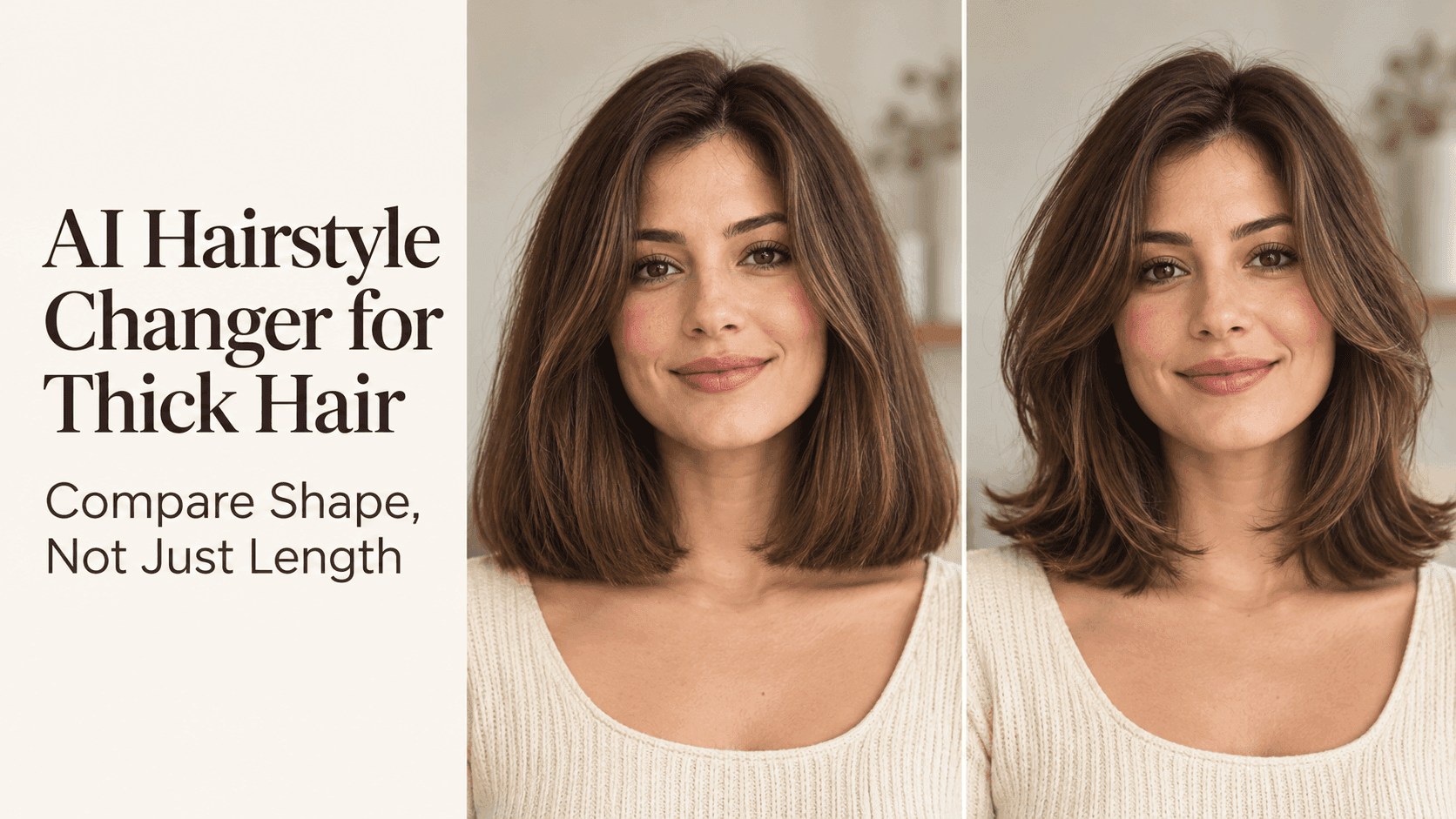
AI Hairstyle Changer for Thick Hair: Compare Shape, Not Just Length
AI Hairstyle Changer for Thick Hair: Compare Shape, Not Just Length
That jaw-length bob looks easy on the person in your saved photo. On you, it might flare at the jaw or catch on a shirt collar. Before booking the cut, an AI Hairstyle Changer can show a few versions on your own face. Stop asking, “Do I like short hair?” Ask where the shape gets wide. With thick hair, that tells you more than a length written on a salon booking form.
AI Hairstyle Changer: Start with the Hair You Actually Wear
Use a photo taken on an ordinary day, not one from the hour after a salon blowout. Face the camera. Let both sides of your hair show, and keep the part you normally wear. Daylight from a window makes it easier to see the edges without throwing one side into shadow.
If your hair dries into waves, leave the waves alone. Straightening it for the photo may give you a tidy preview, but you will be comparing cuts against a starting point that lasts only until the next wash. Keep the original image beside the results. It is surprisingly easy to prefer a preview because it has also changed your jawline or softened your face.
Forget the Inches for a Moment
Imagine two styles that both stop at the shoulders. One is full at the bottom and narrow near the cheeks. The other has shorter pieces around the face and a softer edge against the shirt. They are the same length, but they do not feel like the same haircut.
Look at the outside line of each preview before you look at the name of the style. Where does it extend farthest from your head? If the widest point moves from your shoulders to your jaw, the cut will frame your face very differently. A shorter style can look less bulky than a longer one; a slightly longer style can look lighter than a blunt bob. The ruler is not the whole story.
Pay Attention to the Collar
The place where your hair touches your clothes is easy to miss in a close-up. It matters if you have a lot of hair. A cut that ends directly on a collar may kick outward each time you turn your head. A collar can turn neat ends outward by noon. A few centimeters above or below that spot can give the ends a different line.
Zoom out. Does the hair sit against your neck or make a shelf over the shoulders? Picture it with the jackets or scarves you wear. The neatest preview might annoy you by lunchtime. A still image cannot show how the ends move, but it can show where they will land.
A Blunt Cut Is Not Automatically Too Heavy
Dense hair gives a blunt edge its strong shape. That can be exactly the point. The question is whether you like the width it creates on your face, not whether every thick-haired person should avoid it.
Compare a firm edge with a softer one at roughly the same length. If the softer version wins, notice why. Perhaps you still like full ends, just not a straight line across the neck. Tell your stylist that. “Take out the bulk” may not describe what you want.
Layers Need a Closer Look
“Add layers” sounds like one instruction, but the starting point changes everything. Short pieces beginning at the cheek will affect the front of the cut. Longer pieces beginning near the collarbone may leave the face frame almost untouched.
Find the first shorter section in the preview. Then check the ends. Have they kept their substance, or does everything look strangely weightless? Your texture will not vanish because a picture looks airy. Save the shape you like; let your stylist decide how to cut it.
Hold the Face and Color Steady
When testing a new haircut, one photograph is enough. Reuse it for each result. If you switch between a mirror selfie, a sunny outdoor photo, and a portrait taken from above, you will also be changing your face angle and lighting. You will not know which part of the difference came from the hair.
Hair color can play the same trick. Highlights break up a solid outline; darker color can make it look sharper. First decide whether you like the cut's shape. Explore a new shade afterward. Set aside any result that changes your eyes, ears, or facial proportions. It may be a pleasing image, but it cannot help you compare haircuts fairly.
Make Three Previews You Can Explain
Open Reveedo's AI Hairstyle Changer with a clear, front-facing portrait. Browse the available styles and check the credit cost on the generation button. Choose a look close to your current cut, a shorter look with a definite edge, and one that places the width somewhere else. Use the same source photo each time.
Put the three results beside your original. Under each, write one line: “too wide at my cheeks,” “like the fuller ends,” or “would need to pin back the front.” If a preview has altered your face, leave it out. You are not trying to pick the prettiest of four pictures. You are trying to find a description of the haircut you want.
Take the Pictures into Real Life
Look again the next morning, before you have done anything to your hair. Would you still want the shape if it were not freshly blown out? Could you tie it back? Would the front pieces bother you while working? Those answers may eliminate a preview you loved the night before.
Bring the original and two favorites to the salon. Say which outline you prefer and what your hair does after washing: whether it expands, bends at the neck, or refuses to lie flat. Ask what styling that shape needs. A preview cannot promise an identical cut, but it can replace “a little shorter” with “keep the fullness and change where it sits.”