



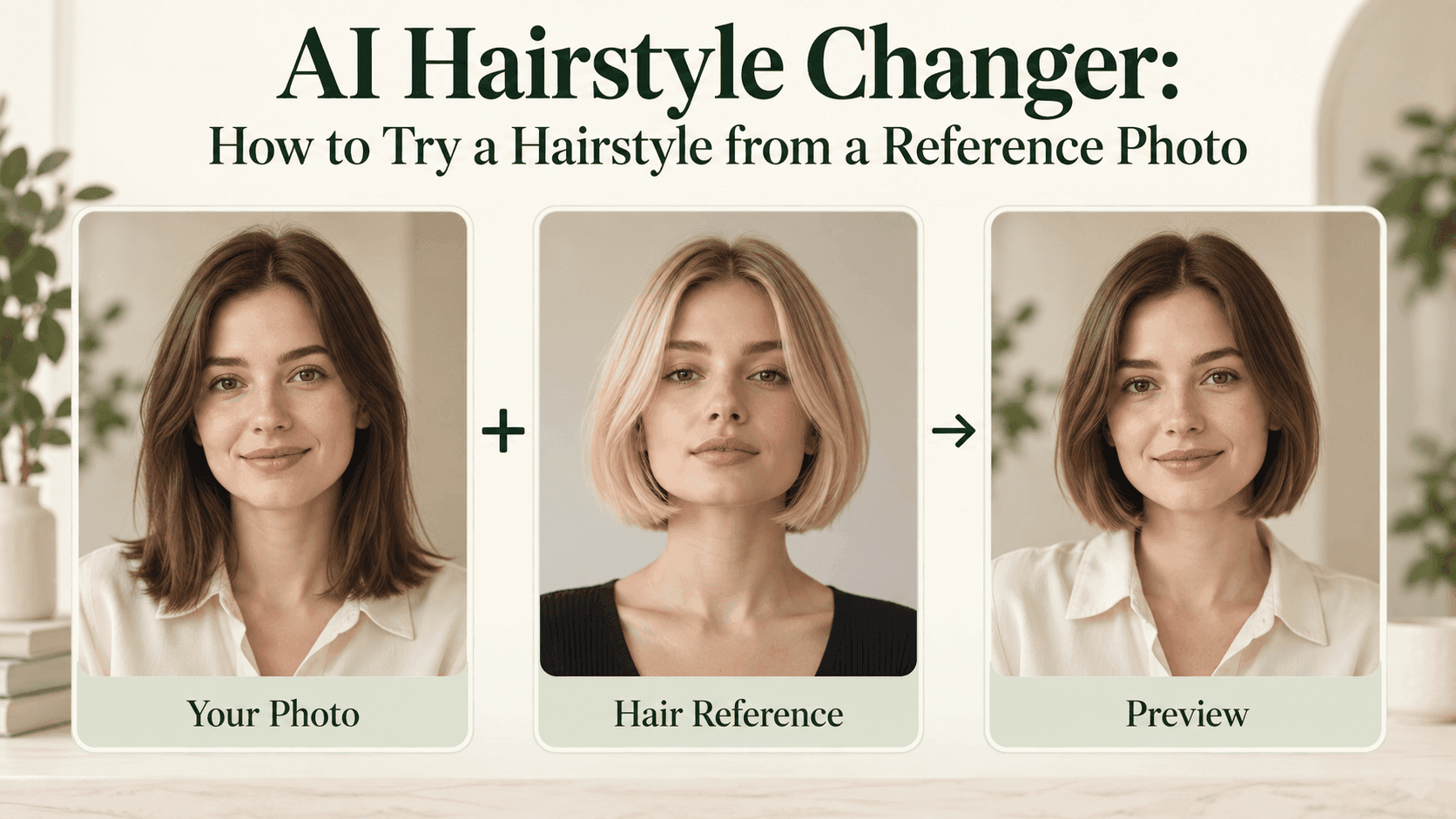
AI Hairstyle Changer: How to Try a Hairstyle from a Reference Photo
AI Hairstyle Changer: How to Try a Hairstyle from a Reference Photo
There is probably a haircut saved on your phone that you keep coming back to. You like it on that person. You are less sure how it would look on you.
An AI Hairstyle Changer can help with that second question, but the reference needs a little explanation. Perhaps you want the bob without the blonde color, or the fringe without the volume. “Give me this hair” does not make those choices clear.
What are you actually borrowing?
Open the reference and cover the face with your thumb. Do you still like the hair?
It is a useful pause before using an AI Hairstyle Changer. A portrait can be appealing because of the makeup, expression, or lighting. None of those tells you whether you want the haircut.
Look at where the ends fall, where the hair parts, and how the front pieces sit. Write a short description:
“Just below the chin, middle part, straight sides, ends turned slightly inward.”
That gives an AI Hairstyle Changer a clearer request than a style name alone. It also gives you something to check in the result.
Keep the camera angle similar where possible.
Choose a reference you have permission to upload. Avoid a collage at first; several cuts in one picture leave the intended hairstyle unclear.
Using an AI Hairstyle Changer on Reveedo
There are two routes worth separating.
Reveedo’s hairstyle tool lets you upload your portrait and choose a preset. If one looks close to your reference, use it to explore the overall shape.
For a more specific AI Hairstyle Changer request, the AI Image Editor lets you describe changes to an uploaded photo. Check what the selected model accepts before adding a second image. The preset tool and a reference-based editor are not interchangeable.
If two images are supported, label their roles. Your photo provides the person; the other provides the haircut. If only one image is accepted, upload yourself and describe the reference in words.
The editor cannot know your face from somebody else’s photograph.
A prompt for the haircut, not the whole portrait
For an editor that accepts both pictures, try this AI Hairstyle Changer prompt:
Edit the person in Image 1. Use Image 2 only for the hairstyle: a bob just below the chin, a middle part, and gently curved ends. Keep the face, hair color, glasses, clothing, and lighting from Image 1. Keep the apparent hair density close to the original.
For a single-photo AI Hairstyle Changer workflow, replace the first two sentences with “Change my hair to a bob just below the chin, with a middle part and gently curved ends.”
Leave out anything you do not want copied. If the reference has highlights and you do not, say to keep your color. That is a separate decision you can test later.
Compare yourself with yourself first
The first comparison should be between your original portrait and the AI Hairstyle Changer result, not between you and the reference model.
Look at the eyes, mouth, and jaw. Check your glasses if you wear them. If those have changed, the preview may look flattering without telling you much about the haircut.
Then check the hair. An AI Hairstyle Changer might get the length right but add a fringe you never requested. Keep those observations separate. “Length works; remove the fringe” is enough for another attempt.
Avoid turning a small correction into a new makeover request. An AI Hairstyle Changer has less to reinterpret when you ask for one specific adjustment.
Keep the three pictures together
Save your original, the reference, and the best AI Hairstyle Changer preview in the same folder. Add a short note about what still looks wrong.
Before another AI Hairstyle Changer attempt, return to the original portrait if earlier edits have changed your face. Keep the previous result for comparison.
Take all three pictures to your hairdresser. The reference shows the idea, while the preview helps explain which parts you want on yourself.
An AI Hairstyle Changer cannot tell you how much styling that look will need or how your hair will fall after washing. Those are questions for the appointment.
You do not need a perfect match. If the exercise ends with “that length, my own color, less volume at the sides,” you have something useful to ask for.