



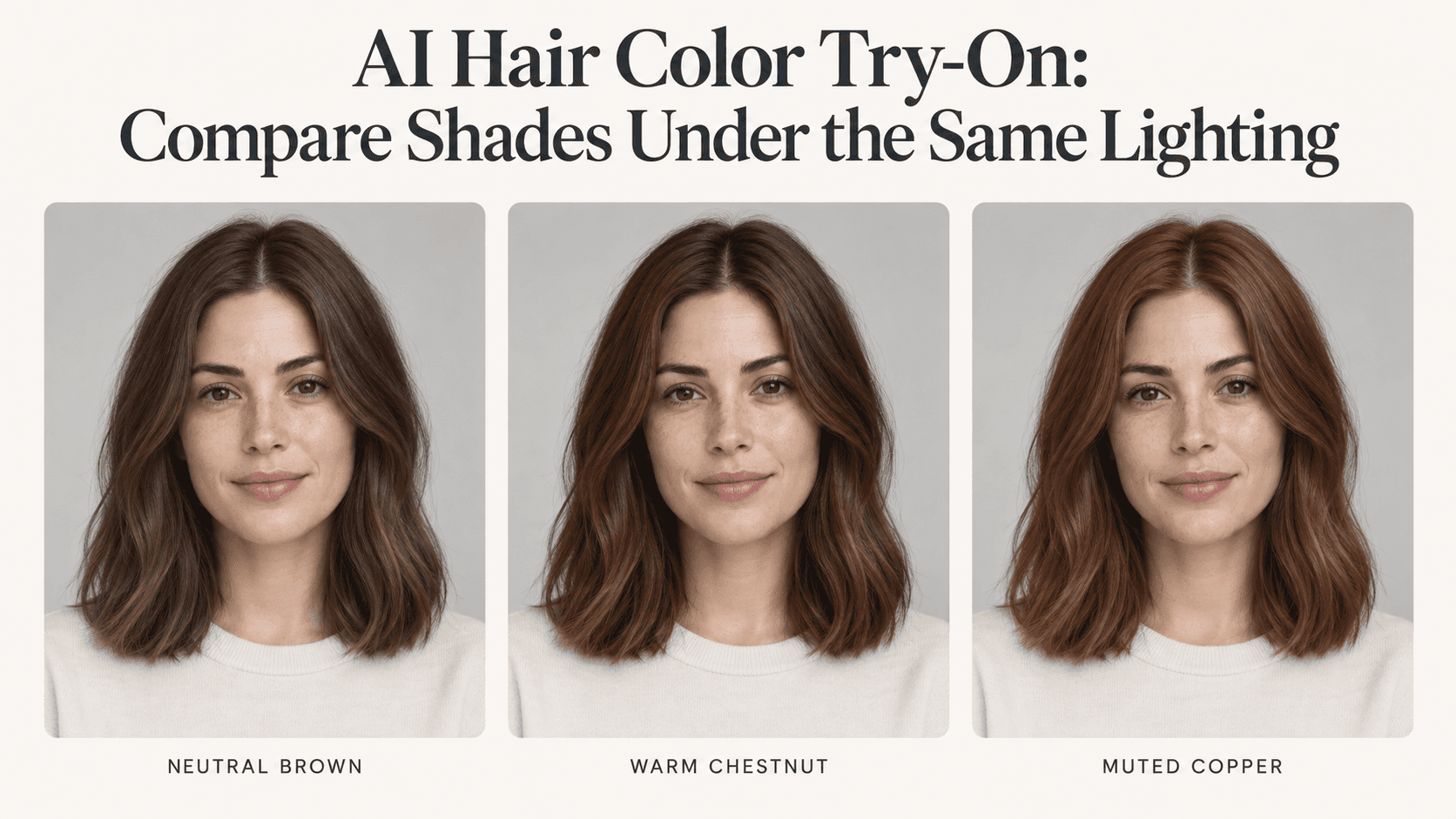
AI Hair Color Try-On: Compare Shades Under the Same Lighting
AI Hair Color Try-On: Compare Shades Under the Same Lighting
You save the brown version, then the copper one, then a blonde you never thought you would consider. All three look good. Somehow, you are no closer to choosing.
Before making another AI Hair Color Try-On image, look at the face. Is the skin warmer in one version? Did the blonde edit add volume? Did the copper picture brighten the room?
If so, you have been comparing more than hair color. The prettier picture may simply have better lighting. Start again with one photo and a smaller question: which shade do you prefer when everything else stays as close as possible to the original?
Give your AI Hair Color Try-On a fair starting point
Choose a photograph where the hair is visible from the parting to the ends. It does not have to be a polished portrait. A clear, unfiltered photo in soft light is enough to begin.
For AI Hair Color Try-On, avoid a picture taken under a strongly colored lamp. Also skip the dramatic selfie where half the hair disappears into shadow. Those pictures leave more uncertainty about what you are seeing.
Keep this source beside your edits. Start each new shade from the original, not from the result you just generated.
That last detail is easy to overlook. If you recolor an edited image repeatedly, changes to the face or hair shape may carry forward. Your third AI Hair Color Try-On then has a different starting point from your first.
Three shades will tell you more than ten unrelated looks
Suppose you have dark brown hair and want something warmer. Try a neutral brown, a chestnut brown, and a muted copper before exploring completely different color families.
This round of AI Hair Color Try-On is about warmth. It does not also need a fringe, blonde highlights, or shoulder-length waves.
Keep the requested depth roughly similar where possible. Otherwise, you may prefer one version because it is lighter, not because its undertone suits your taste.
An AI Hair Color Try-On prompt can use ordinary words. “Medium brown with a gentle warm tone” is more specific than “the perfect brunette.” Color names are only a starting point, not standardized salon formulas.
If two results look nearly identical, refine the description. Do not brighten one portrait just to make the difference obvious.
Use the same request, with one small replacement
Here is a simple AI Hair Color Try-On prompt:
Change only the hair color to medium neutral brown. Keep the original haircut, length, parting, texture, and volume. Preserve the face, skin tone, eyebrows, clothing, background, and lighting. Keep natural highlights and shadows within the hair.
For the next AI Hair Color Try-On, replace the shade with “medium chestnut brown.” Then try “muted copper.” Leave the rest alone.
The preservation request is not a guarantee. It tells you what to inspect. If the editor narrows your nose or smooths your skin, that version is not a fair comparison, however attractive it looks.
You can try these edits through Reveedo’s image editor, which accepts a photo and written editing instructions. Check the options in the workflow you select.
Review each AI Hair Color Try-On before generating the next one. It is easier to catch a changed face now than after saving a folder of previews.
Check your AI Hair Color Try-On before judging the shade
Look near the ears, temples, and shoulders. A little copper spilling onto skin can make the entire face appear warmer. Missing wisps can change the outline of the haircut.
In an AI Hair Color Try-On, those are editing problems, not evidence that the color suits you.
Also look at the lighter strands. Recoloring hair should not mean filling its whole outline with one solid brown. You should still be able to follow the texture and see where the original light falls.
If your AI Hair Color Try-On adds curls or extra thickness, return to the source and repeat the narrower request. You can compare hairstyles later.
For now, keep the haircut out of the vote.
If a version changes the room’s color as well as your hair, set it aside. A matching background is another useful check on the edit.
Put the pictures together, then stop changing the screen
Place the original and your three AI Hair Color Try-On previews side by side, using matching crops and sizes. Label each with the shade description you used.
Compare your AI Hair Color Try-On on one screen with unchanged brightness and display settings. One version on a warm-tinted phone and another on a monitor is not the same comparison.
Ask what you actually prefer: softer contrast around the face, a deeper brown, or less orange. “This is too bright” is a useful conclusion.
AI Hair Color Try-On does not need to tell you which color is objectively best. It needs to help you describe your preference.
Take a direction to the salon, not a promised result
Your selfie cannot show everything about your hair’s history or how a coloring process will turn out. An AI Hair Color Try-On is a visual preview, not a dye prediction.
Save your favorite beside the original. Keep a disliked version if it helps explain what you want to avoid.
Tell your colorist which detail matters. Perhaps you like the warmth but not the brightness. That is more useful than asking for an exact copy of a generated picture.
If you repeat AI Hair Color Try-On under different lighting, test the whole shortlist again from that second photo. Compare shades within each set.
You can stop when the pictures help you say what you want. You do not need a winner that looks perfect in every possible edit.