



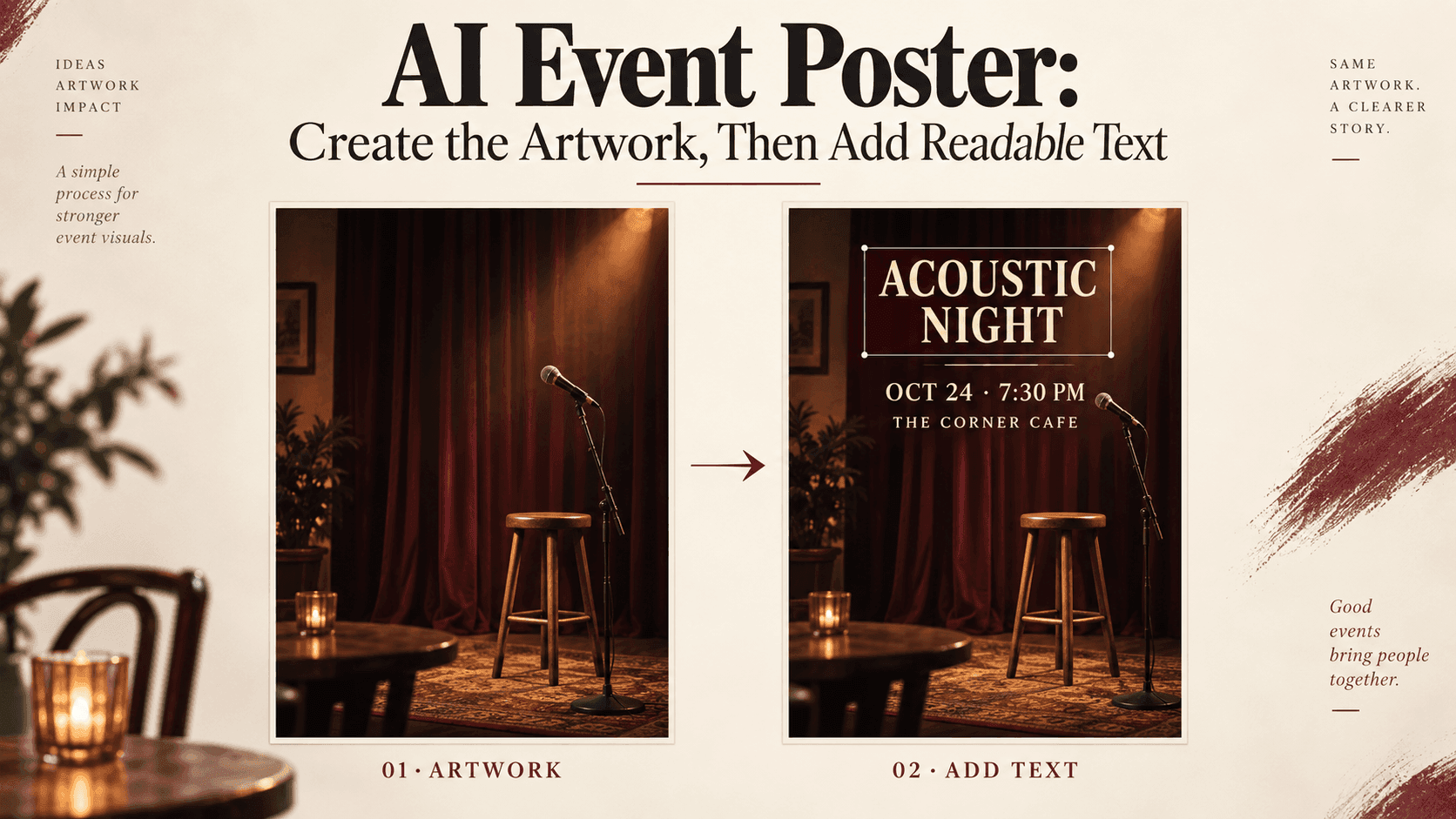
AI Event Poster: Create Artwork, Then Add Readable Text
AI Event Poster: Create the Artwork, Then Add Readable Text
The room has been booked. The musicians have confirmed. You need a poster by tomorrow, and you have a fairly clear picture in your head: a small stage, warm lights, perhaps an empty microphone waiting for the first song.
An AI Event Poster can help you get that picture onto the page. The trouble starts when the picture also has to carry a venue address, ticket price, opening time, and several names nobody can afford to spell wrong.
Give AI Event Poster text its own place in the workflow. Make the artwork, then set the information as editable text.
Start Your AI Event Poster With the Details You Already Know
For a small live music night, write down the actual title, performers, date, start time, venue, and booking link before generating anything. Keep unconfirmed information visibly marked as a placeholder.
This sounds like admin work because it is. But it prevents an attractive draft from becoming the source of truth about the event.
An AI Event Poster with a short title has different space requirements from one listing six performers. You need to know which you're making before choosing a full-frame image of a musician.
Put your AI Event Poster text on a blank canvas. Make the title large enough to notice, then add the practical details underneath. Don't worry about finding a clever font yet. Look at how much room the information takes.
Whatever space remains is the space your artwork can use.
The Empty Part of the Picture Matters
Beautiful AI Event Poster artwork can still be awkward to use. Light beams cross the date. A microphone stand runs through the address. The only clear corner is too small for the ticket information.
When planning an AI Event Poster, describe where the detail belongs and where it should stop. “Leave room for text” is less specific than asking for a quiet upper third with no objects.
For the fictional music night, try a brief like this:
Vertical artwork for an intimate live music evening. An empty microphone and a wooden stool occupy the lower right. Warm amber stage lighting, muted burgundy background, subtle photographic texture. Keep the upper third and left side simple, with broad areas of consistent dark color for text added later. No words, letters, numbers, logos, or watermarks.
This is an illustrative prompt, not a tested result.
Inspect the generated AI Event Poster background before committing to it. Does the supposedly empty area actually stay quiet? A few tiny highlights can become surprisingly distracting behind small lettering.
If the composition is crowded, ask for fewer objects. Don't immediately shrink your event details to accommodate the picture.
Choose the Image That Works With the Words
Reveedo's image generator supports poster artwork and other campaign visuals created from text descriptions. Use it for the image stage of your AI Event Poster, then download the chosen result for layout.
Compare options with the real title placed over them. An AI Event Poster that wins on its own may lose once the date and venue are added.
For this AI Event Poster, a restrained stage photograph might work better than a dramatic concert crowd. The crowd suggests energy, but it may also suggest a larger event than you're actually promoting.
Keep the visual honest about the experience. A seated acoustic evening doesn't need to look like a stadium show.
Put the Date Somewhere People Will Find It
Open the artwork in a layout editor with editable text layers. Add the approved event wording there, rather than assuming letters inside a generated image can be selected and corrected.
The title will probably be the largest element in your AI Event Poster. The date and time should be easy to find immediately afterward. Keep the venue nearby, with a clear route to booking.
Distinguish doors opening from the performance starting if both times matter. “Doors 7:00 PM” and “Music 7:30 PM” answer different questions.
Avoid making every line compete for attention. For an AI Event Poster, a straightforward typeface with a bold title and regular details is a perfectly reasonable starting point.
If the performers' names need more space, give them another line. Squeezing a long name into a narrow box usually looks worse than accepting a slightly taller text block.
Read It at the Size Someone Else Will See
Zoom out. Better still, send yourself the exported draft and open it on your phone.
An AI Event Poster that looks clear across a desktop monitor may have an unreadable address in a feed. If you need to pinch the screen to find the start time, the layout needs another pass.
Check your AI Event Poster behind every line, not just behind the headline. Light text over a dark area can become difficult to read where a spotlight crosses it.
For digital text, WCAG's contrast guidance specifies 4.5:1 for ordinary text and 3:1 for qualifying large text, with exceptions. These ratios are useful checks, not a complete accessibility assessment.
You can put a solid panel behind the information on your AI Event Poster. It may be less decorative than transparent lettering over a photograph, but the address will have somewhere reliable to sit.
Ask someone unfamiliar with the event to identify the date and location. Don't explain where they should look.
A Booking Link Is Part of the Design
Create any QR code from the confirmed booking address using a dedicated tool. Add the actual code to the layout, with clear space around it.
Test it from the exported AI Event Poster, using another device. A code that worked before resizing still needs checking in the final file.
Include a clickable booking link in the accompanying post. People looking at your AI Event Poster on their phones shouldn't have to find a second screen just to register.
Keep essential event details in the post or webpage as ordinary text, too. The picture shouldn't be the only place they exist.
Save the File You Can Still Edit
A venue change shouldn't mean starting your AI Event Poster again. Keep the original artwork, the editable layout, and the exported version separately.
Before printing, confirm the printer's requirements. Before posting, check the crop and any interface elements that could cover the bottom of the image.
Finally, read the exported AI Event Poster against your approved information sheet. Check names, times, prices, and the booking destination.
If several people are approving the design, send them the same draft and ask for corrections in one place. Otherwise, you may end up fixing a date in one version while someone else shares an older, incorrect copy.
You can keep adjusting the background forever. Once your AI Event Poster looks appropriate and someone can quickly work out how to attend, the more useful task is making sure they receive the right information.