



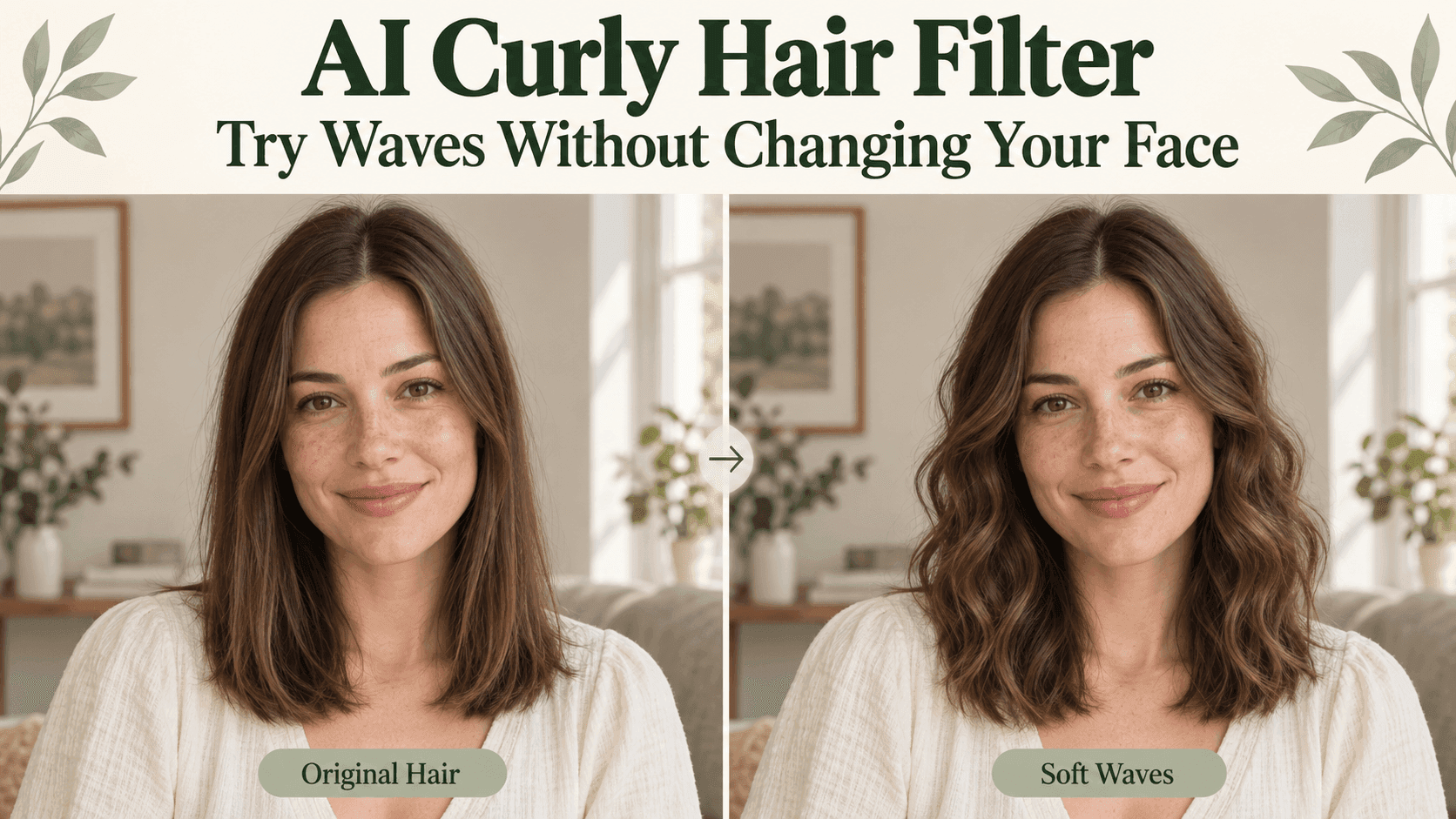
AI Curly Hair Filter: Try Waves Without Changing Your Face
AI Curly Hair Filter: Try Waves Without Changing Your Face
You want to see yourself with waves. Not a smaller nose, brighter eyes, and a new shade of brown hair. Just waves.
That is the comparison an AI Curly Hair Filter should help you make. Yet a preview can look convincing while changing several things at once. Before deciding that curls suit you, check that the person underneath them still looks like you.
Start with a modest change. You can try a more defined curl afterward.
Decide where the wave should start
“Curly” can mean a slight bend near the ends or visible ringlets from much higher up. Those are quite different pictures.
For your first AI Curly Hair Filter preview, choose one question: do you like loose waves beginning around the cheeks, or would you prefer movement only below the chin?
Keep the color and parting fixed. If you compare dark side-parted curls with blonde center-parted waves, you are also choosing between colors and partings.
An AI Curly Hair Filter becomes more useful when the differences are easy to name. “More bend near the ends” gives you something specific to try next.
Start the AI Curly Hair Filter comparison with one photo
Choose a recent portrait with your hair down and the ends visible. Avoid cropping at the chin if you want to compare shoulder-length styles. Leave a little space beside the hair, too.
A plain background helps you see the outline. Keep your usual glasses and expression; there is no need to prepare a completely different version of yourself.
On Reveedo’s hairstyle page, upload that portrait and browse the available wave and curl styles. Options currently include Soft Waves, Loose Waves, and Bouncy Ringlets. Check the displayed credit cost before generating.
Reuse the same portrait for each AI Curly Hair Filter comparison. A different selfie introduces another angle and expression before you have even changed the hair.
Describe the wave without requesting a makeover
If a preset does not match the detail you want, Reveedo’s AI Image Editor supports written editing instructions. This is separate from choosing a hairstyle preset.
A focused AI Curly Hair Filter request could be:
Add loose waves from cheek level downward. Keep my current hair color, parting, and apparent hair density. Preserve my face, expression, glasses, clothing, and lighting. Leave the roots relatively smooth and the ends visible.
For the next AI Curly Hair Filter variation, change only where the waves begin or how defined they look.
Do not assume “glamorous curls” means the same thing as “a little movement.” Describe the visible difference you want. You can always ask for stronger curls later.
Fullness is not the same as extra hair
Waves change the outline of a hairstyle. Some added width can be part of that look, so a wider silhouette is not automatically a mistake.
But inspect the AI Curly Hair Filter result closely. Has the parting disappeared? Are the ends suddenly much denser? Has the tool added a thick section over a previously visible ear?
Compare the roots and ends with the original. An AI Curly Hair Filter cannot measure your actual hair density from a photograph, and a convincing picture does not prove the volume is achievable.
If the shape is too full, ask for less width around the sides rather than removing every wave.
Check the face before choosing your favorite
Put the original and the AI Curly Hair Filter preview beside each other at the same size. Look at the eyes, nose, mouth, and jaw before studying the hair.
Try viewing both images at normal phone size as well as zoomed in. A detail that looks odd close up may change your overall impression.
If the face has changed, do not use that version to decide whether you prefer waves. Start again from the original with a narrower instruction.
An AI Curly Hair Filter may also make the hair look shorter because the new shape bends instead of falling straight. If length matters, specify where you want the ends to appear. Treat that as a visual target, not a prediction of an actual cut or perm.
Save a choice you can explain
After a few AI Curly Hair Filter previews, save the two that answer your original question. Write something short beneath each: “waves start too high” or “like the ends, less volume beside cheeks.”
Bring your favorite AI Curly Hair Filter image and the original to your stylist. Ask what would be involved in creating that shape with your hair.
An AI Curly Hair Filter cannot tell you how long styling will take, how a perm will turn out, or what your hair will do after washing. It can help you say, much more clearly, which kind of wave you want.