



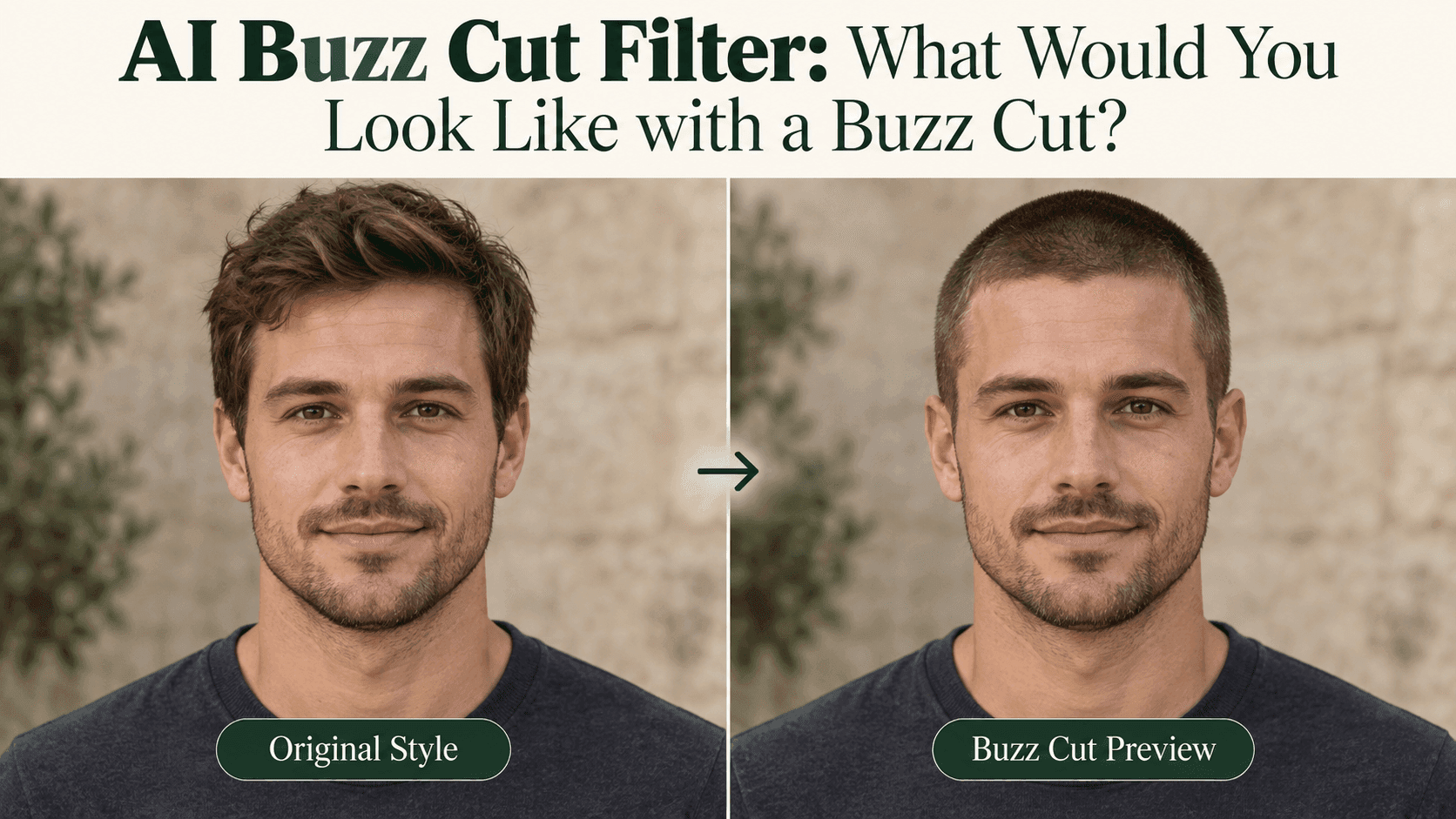
AI Buzz Cut Filter: What Would You Look Like with a Buzz Cut?
AI Buzz Cut Filter: What Would You Look Like with a Buzz Cut?
Before you book the haircut, there is usually a smaller question: would you still like your face with almost no hair around it?
An AI Buzz Cut Filter gives you a way to look before committing. You might love the first preview. You might decide you prefer a little length on top. Either answer is useful, provided the picture has not quietly changed your jaw, lowered your hairline, or invented a different head shape.
The point is to see yourself with shorter hair, not to meet a better-looking stranger.
Pick a photo that leaves less to guess
Use a recent, front-facing portrait with even light and enough room above your head. Leave your eyebrows, temples, and ears visible where possible. Keep your usual glasses or beard if they are part of your everyday appearance.
For an AI Buzz Cut Filter, a heavy fringe creates an obvious difficulty: the forehead underneath it is not visible. If you can, take another photo with the fringe moved aside. That gives the preview more useful information than a long instruction about keeping everything accurate.
You do not need to slick your hair back tightly or change your expression. A straightforward photograph is enough.
An AI Buzz Cut Filter still cannot see through your existing hair. A clearer photo reduces some uncertainty; it does not remove it.
Try the AI Buzz Cut Filter look on Reveedo
Open Reveedo’s AI Hairstyle Changer and upload your portrait. The page currently includes styles labeled Buzz Cut and Buzz Style. Choose the option you want to explore, check the credit cost shown on the generation button, and create a preview. Results are available in My Creations.
You are using hairstyle presets here, so there is no need to invent a long prompt or look for an exact clipper-length control.
Treat this first AI Buzz Cut Filter result as one option. Keep the original photograph beside it before moving on to another style.
If you try several previews, reuse the same portrait. It makes the AI Buzz Cut Filter comparison easier to read than switching between a smiling outdoor selfie and a serious indoor photograph.
Check whether the haircut is the only thing that changed
Start at the forehead. Does the hairline follow what you can see in the original, or has it become unusually straight and low?
Then look at the temples, ears, and jaw. An AI Buzz Cut Filter can produce an appealing portrait that is not a fair haircut comparison. A narrower face or more symmetrical ears may make the whole image feel different.
This matters just as much when you dislike the result. Before deciding that a buzz cut is not for you, check whether the AI Buzz Cut Filter has changed something you never asked it to change.
Keep an AI Buzz Cut Filter preview you dislike, too. Note the exact problem, such as an altered hairline, rather than assuming the haircut itself is wrong.
A preview is not a verdict on your appearance. If the face looks wrong, that particular image is poor evidence.
Compare the overall look, not imaginary measurements
“Buzz cut” does not describe one exact amount of visible hair. You may prefer a close, uniform look or a version with a little more texture on top.
Use an AI Buzz Cut Filter to explore that visual difference, but do not read millimeters from the image. Generated stubble is not a measurement, and a preset name is not a reliable instruction for a barber’s clippers.
If your first AI Buzz Cut Filter preview feels too severe, compare it with a short crop or crew cut where available. You are looking for the amount of hair you like seeing, not forcing yourself to choose the shortest option.
Keep the beard unchanged during this comparison. Removing it at the same time creates a second decision.
The back of your head is still a question
A front-facing photograph does not show the back of your head. An AI Buzz Cut Filter cannot recover that missing view from appearance alone.
A generated side view may look convincing, but it should not be treated as a scan. It can invent the contour of the skull, the neckline, or details previously covered by hair.
That is why an AI Buzz Cut Filter is better for exploring a general impression than predicting every angle. Bring questions about the sides and back to a barber who can actually examine your hair and head.
There is no need to get every answer from one selfie.
Save the version you can explain
After a few AI Buzz Cut Filter comparisons, pick one or two images and write down what you like. “Some texture on top” is useful. So is “short sides, but not this close.”
Take your original photo along too. It helps separate your real features from the details the software supplied.
An AI Buzz Cut Filter preview can start the conversation, but the barber should help translate that picture into an actual length and shape on your own head.
Before booking, look at the image once more with your usual clothes, glasses, or beard in mind. Would you still choose it for an ordinary day?
That is a more useful answer from an AI Buzz Cut Filter than whether the result could pass for a polished profile picture.